Put the music in the library first
This guide is for audio files you own or have permission to use: MP3 downloads, your CD rips or other compatible files. It does not turn a streaming service's offline downloads into transferable songs.
In MP95, add the folder containing your music and check that the tracks play from the library. If the songs are in iCloud Drive, finish downloading them or make a local copy before building a travel playlist. Our Files-to-player guide covers that first step.
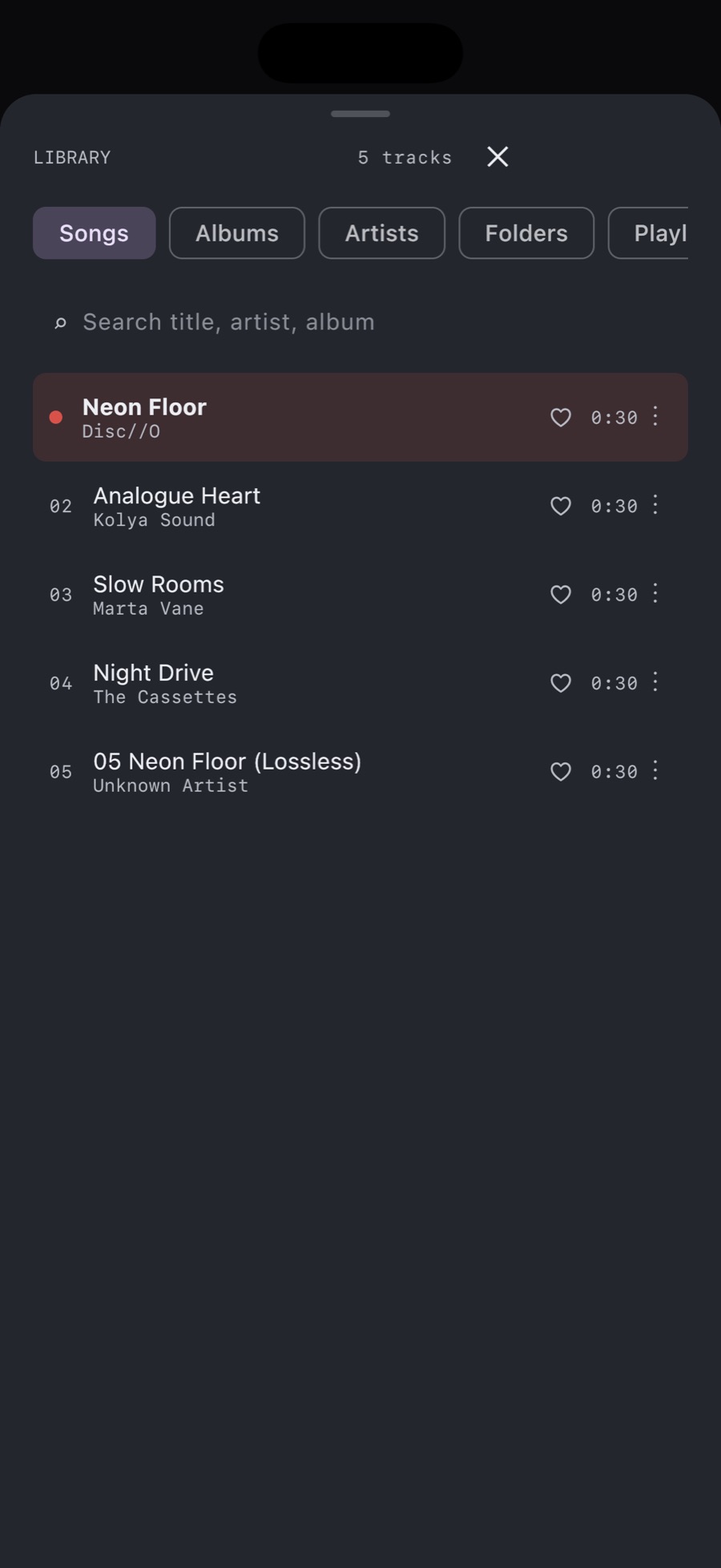
Create the playlist from a song
- Open the music library in MP95 and find a song you want.
- Touch and hold the track to open its context menu.
- Choose Add to playlist.
- Enter a name in New playlist and choose Create & add.
- Find another track, open the same menu and select the playlist you just created.
Button wording follows the app language.
Add an album without rebuilding it track by track
Touch and hold an album cover to open its context menu, then choose Add to playlist. Use it when you want the entire release, then open the playlist to inspect its contents. For a compilation assembled from several albums, add the individual tracks you actually want.
Do not confuse adding to a playlist with adding to the current queue. The queue determines what is lined up for this listening session. A named playlist is something you can return to from the Playlists tab.
Check more than the first song
Open Playlists, select your list and play a track from the beginning, middle and end. Then turn off Wi-Fi and cellular data and repeat the check. This is especially useful when songs came from several folders or cloud downloads.
If one song fails, find that source file in Files. Check whether it has downloaded and whether its folder is still accessible. Creating the playlist does not itself download missing cloud files.
Keep the source files where the player can find them
Moving, renaming or deleting source files can leave a playlist pointing at music the player can no longer reach. Keep your library organised before making a large set of playlists, and keep a backup of the original collection.
A playlist inside MP95 should not be assumed to sync to another app or device. If you are moving from Android, preserve a record of the old playlist until you have rebuilt and checked it.
Do you need an Apple Music subscription?
No Apple Music subscription is needed to make this playlist from your own files in MP95. That does not supply a music catalogue: you bring the audio. The free cassette deck and turntable can play the library; optional paid player styles are separate from owning the songs.