How to load a profile
- Open autoeq.app and pick your headphone model.
- Choose Equalizer APO as the equalizer app.
- Download ParametricEQ.txt.
- In MP95: Settings → Sound → Headphone correction → Import AutoEQ profile, and pick the file.
MP95 reads the peaking and shelf filters in the file (PK, LSC, HSC) and the preamp. A GraphicEQ file is refused with a message that says which one to download instead.
What you see
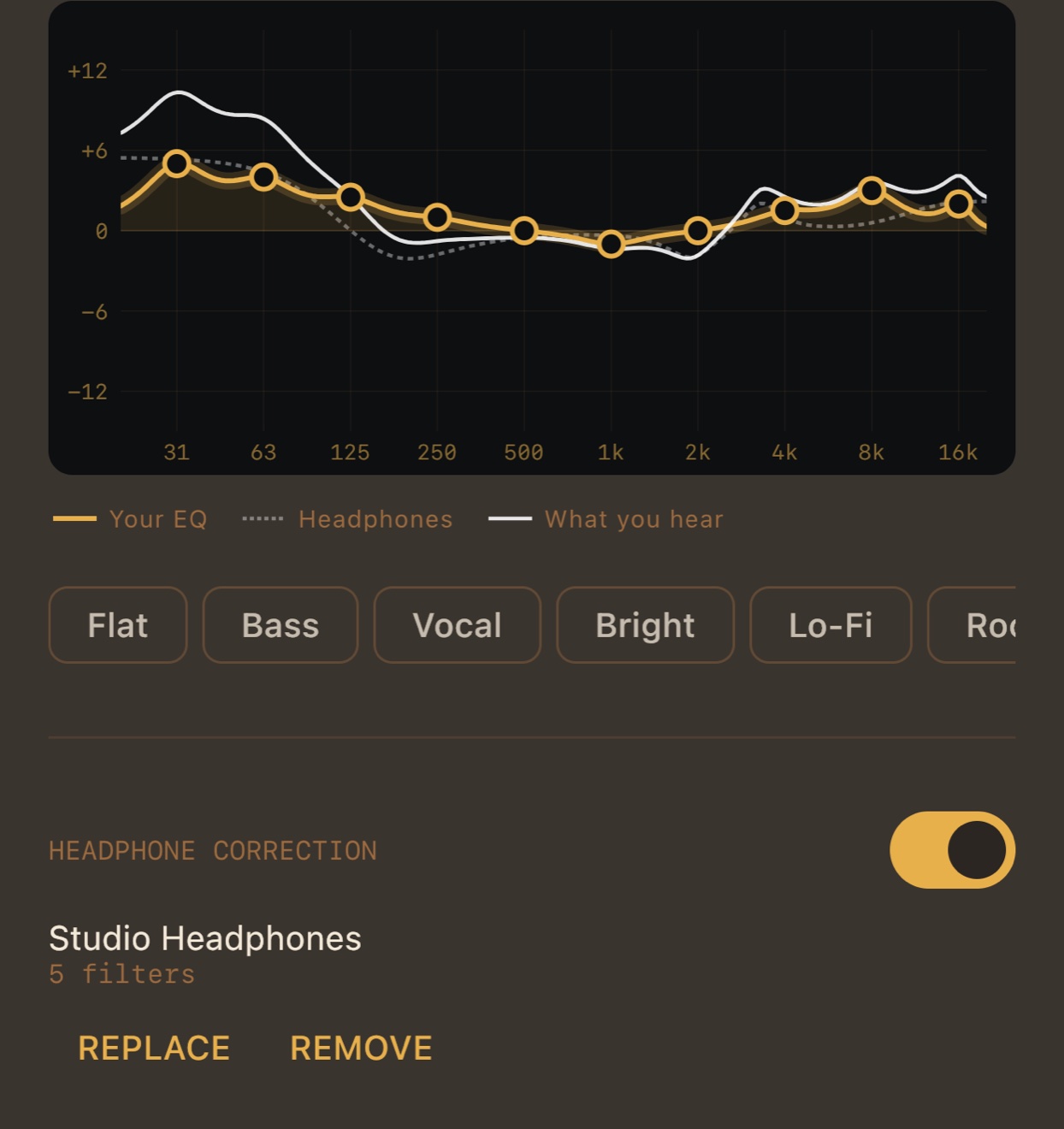
The correction is drawn on the equalizer graph as a dashed line, next to your own EQ, and a third line shows what you hear: the two added together, because they play one after the other. You can adjust your EQ by taste and still see where the headphones end up.
Where it sits in the chain
Headphone correction is its own stage with its own switch. It is not part of the EQ presets or the three memory slots, because it belongs to the headphones, not to the music. When it is on, the Output line lists it as headphone correction, so you always know the path is no longer bit-perfect.
Why it matters on a phone
On Windows, AutoEQ profiles usually go into Equalizer APO, a system-wide equalizer. Phones and Macs have no such thing built in. With MP95 the correction travels with the player: the same profile on iPhone, iPad, Android and Mac, with any headphones plugged into a DAC, the headphone jack or Bluetooth.
Frequently asked questions
Is there Equalizer APO for Mac or iPhone?
No, Equalizer APO is Windows-only. MP95 reads the same ParametricEQ.txt files, so your AutoEQ profile works in the player on iPhone, Android and Mac.
Does headphone correction cost extra?
No, it is free on every platform.
Which file do I need?
ParametricEQ.txt from autoeq.app with Equalizer APO selected. GraphicEQ files are not supported.
Does it work over Bluetooth?
Yes. The correction is applied to the signal before it leaves the app, whatever the output.