Classic Wheel · MP95 Pro · free preview
An iPod-style click wheel player for your iPhone
A brushed-metal wheel under a green LCD. Scroll with your thumb, click the centre, watch the bars bounce. Your whole library on the device, no subscription, no internet.
Free to start · No account · No ads · Works offline
The wheel works like a wheel
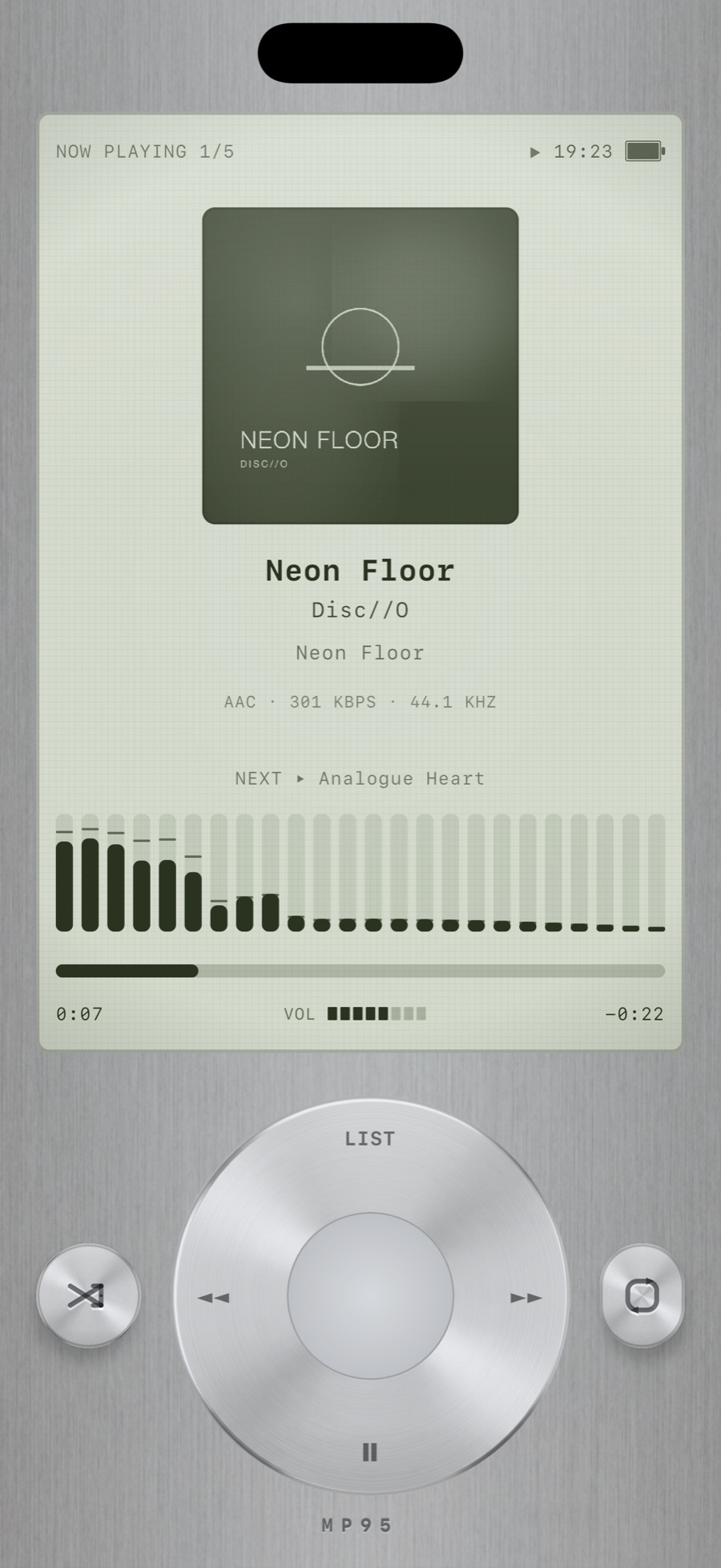
Run your thumb around the ring to scroll the list or scrub through a song; the wheel clicks under your finger with haptics as it passes each item. The four points of the ring are menu, previous, next and play/pause. The centre button selects.
This is an original design. The wheel player has the feel of the pocket players of the 2000s without copying any of them.
A green LCD with real information
The display shows the album art, the track, the artist and the album, the format and bitrate of the file, what plays next, and a bar equalizer that reacts to the music. A heart appears in the status row when the track is in your favourites. Hold the centre button to love a track.
Menus, not a search box
The click-wheel player has its own menu-driven library: Songs, Albums, Artists, Folders, Lists, Loved, Recent. You browse it the way pocket players were browsed, one list at a time, and the wheel does the scrolling. Search is there when you want it.
On your home screen and your wrist
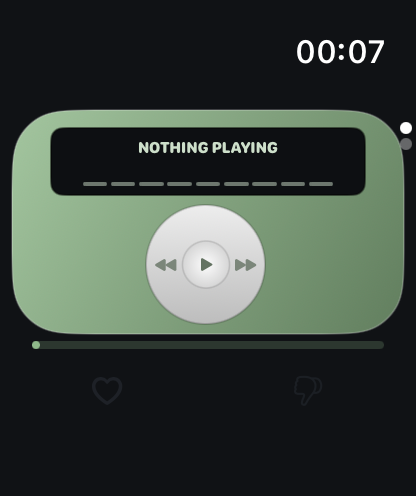
The click-wheel widget puts the wheel on your home screen: the ring's left, right and bottom zones are previous, next and play/pause, and the elapsed time is a live system timer. On Apple Watch, the same wheel is the remote for the iPhone app. See widgets and Apple Watch.
Frequently asked questions
Is this an official iPod app?
No. MP95 is an independent app with an original click-wheel design. It is not affiliated with or endorsed by Apple. iPod is a trademark of Apple Inc.
Does the click wheel player work offline?
Yes. MP95 has no network access at all. Your files play from the device, and the library lives on the device.
Can I use it without Apple Music or Spotify?
Yes. MP95 plays music files you own. You can import songs you have purchased from the Music library, add a folder from Files, or drop files into the app folder with Finder or a cable.
Is the click-wheel player free?
On Android, yes. On iPhone and iPad it plays for a free preview at any time; unlimited use is included in MP95 Pro, which also unlocks the reel-to-reel, digital and disc players.
The other machines
Cassette player
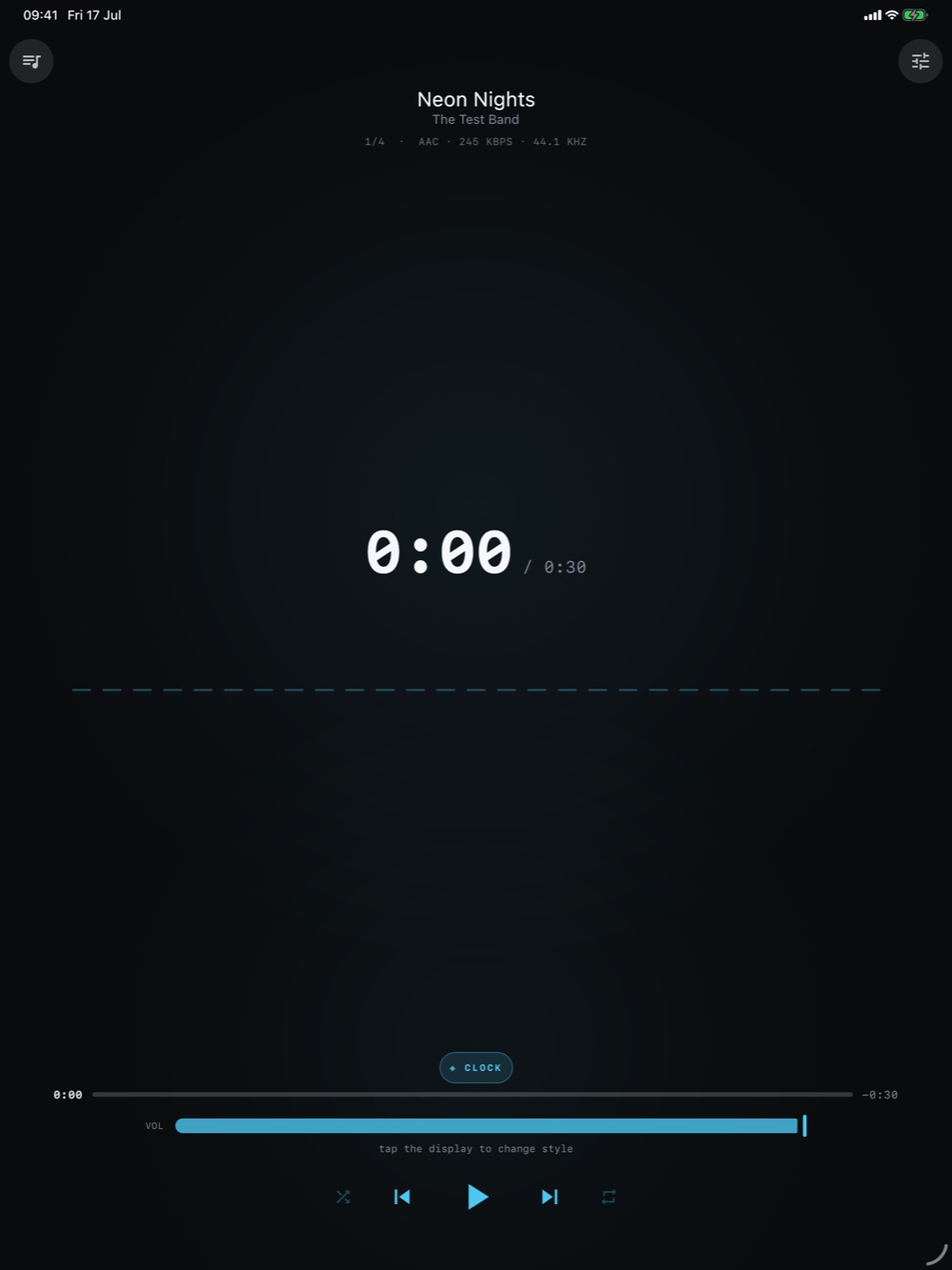
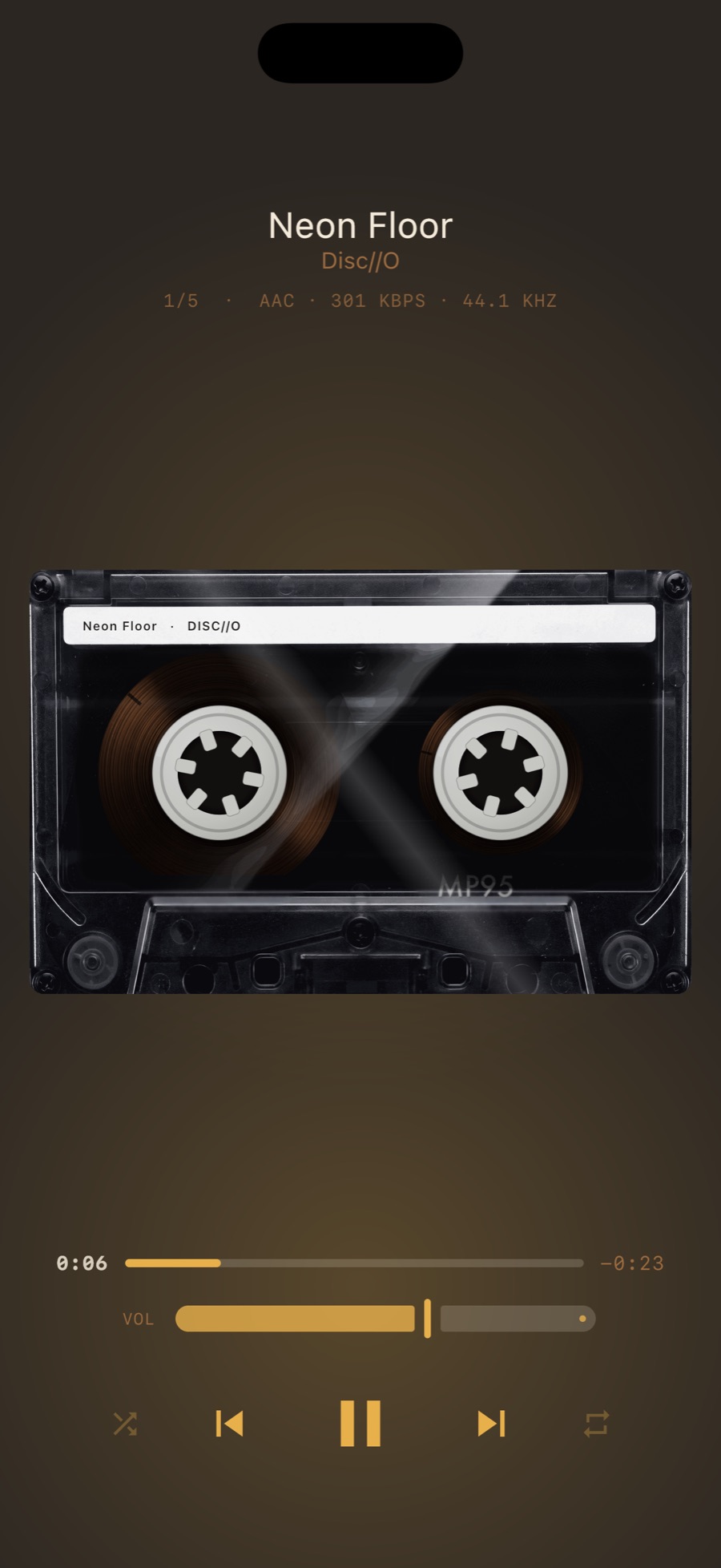
Your music on a compact cassette, label printed with the track name, reels turning behind the window.
Vinyl player
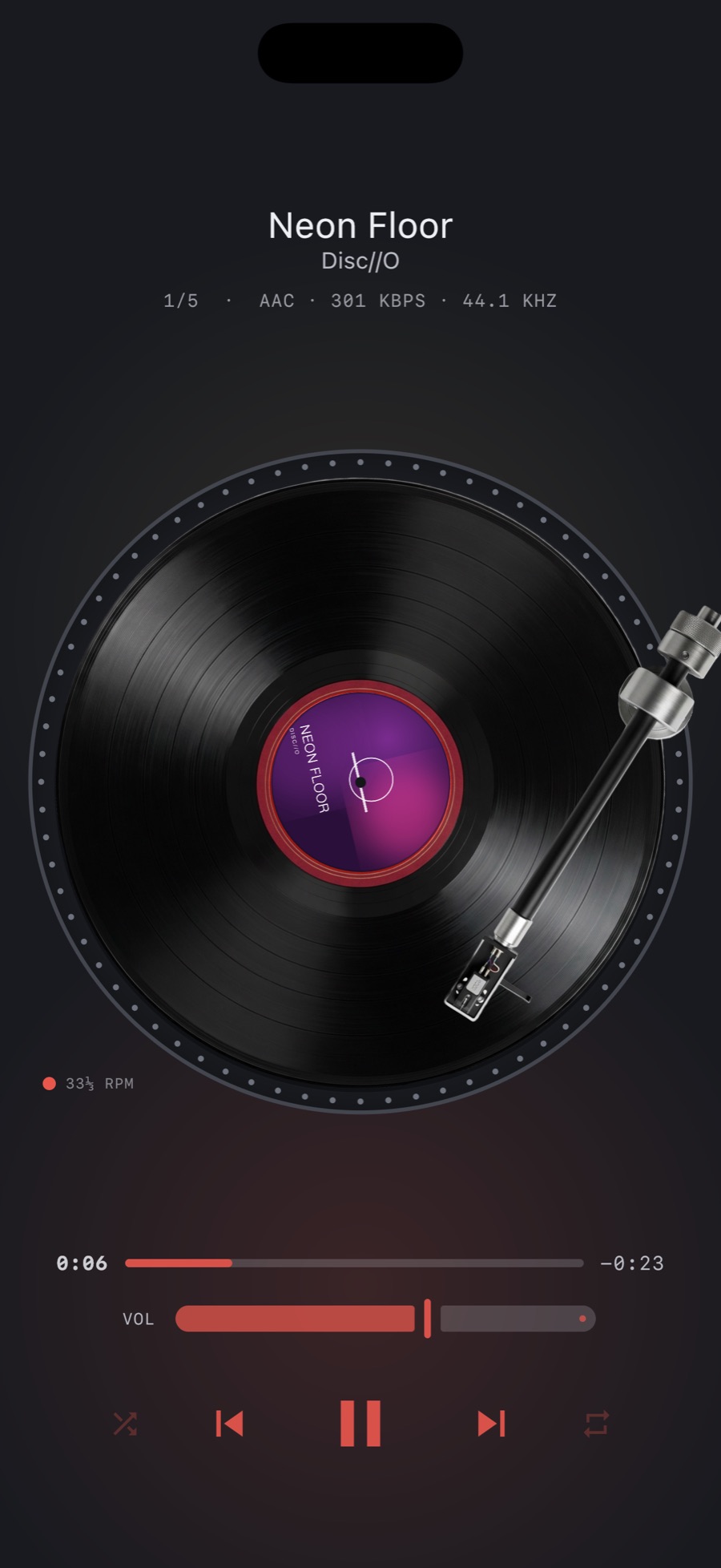
Your album art on the label, a tonearm that tracks inward as the side plays, and vinyl crackle and rumble you can dial in or switch off.
Reel-to-reel player
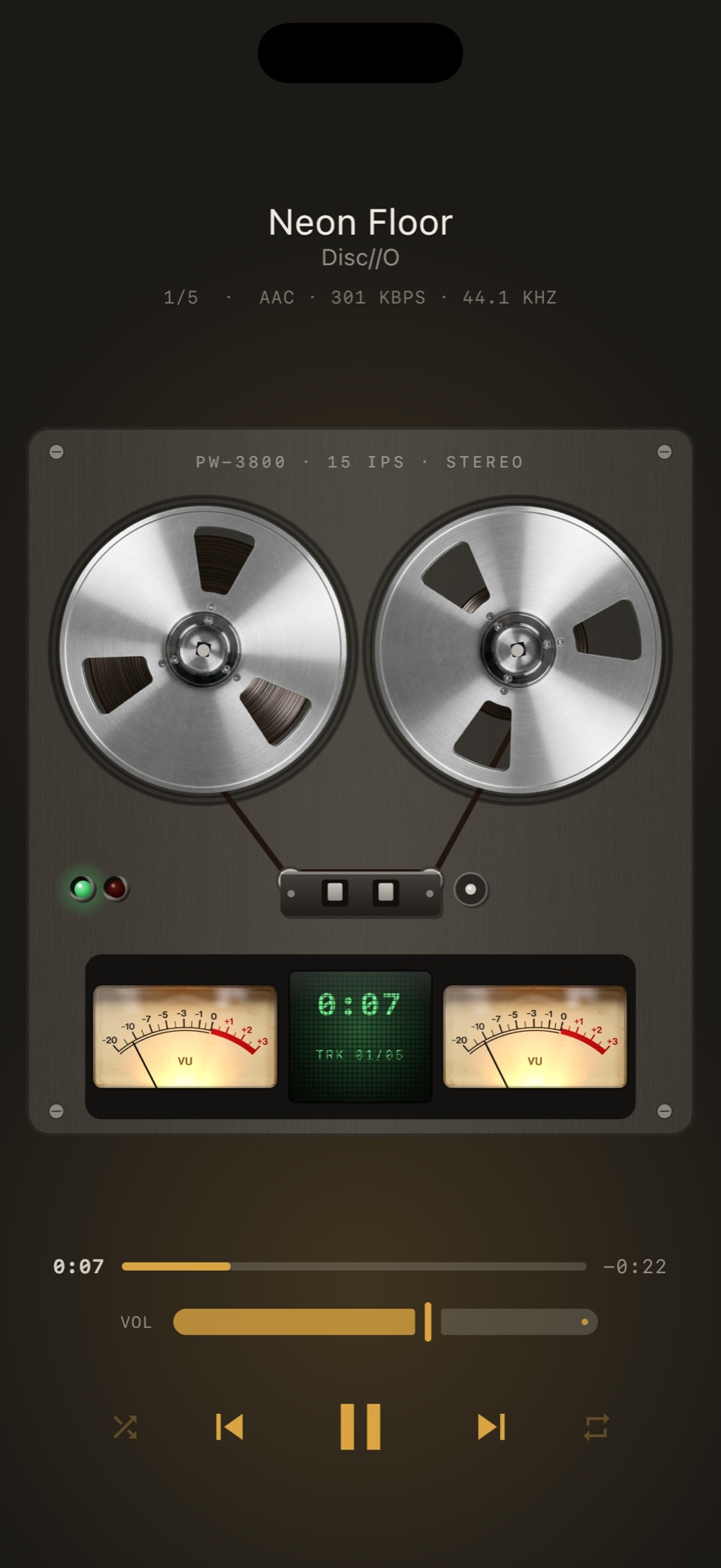
Two metal reels, tape running between them, twin VU meters with the ballistics of real meters, and a counter.
Digital display player
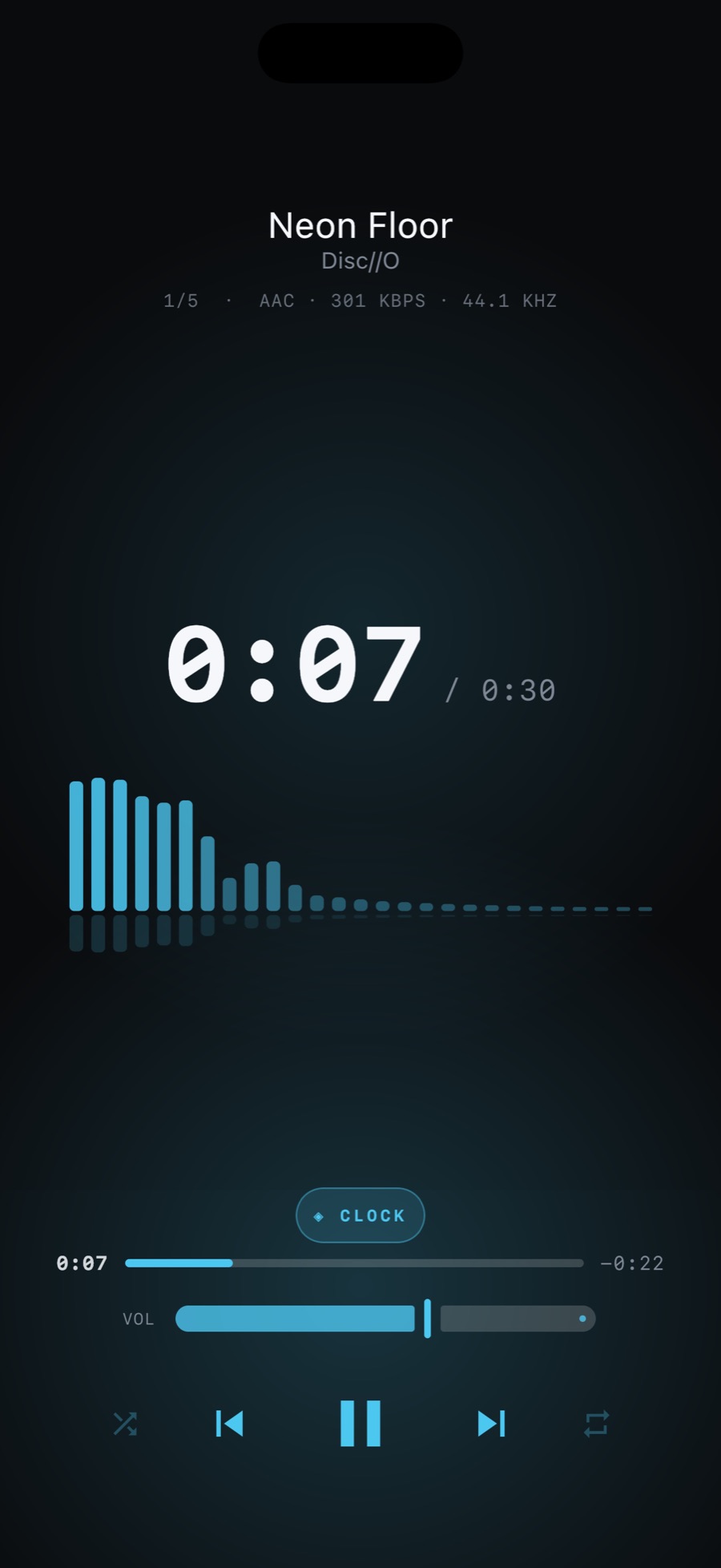
A dark display and nothing else.
Disc player
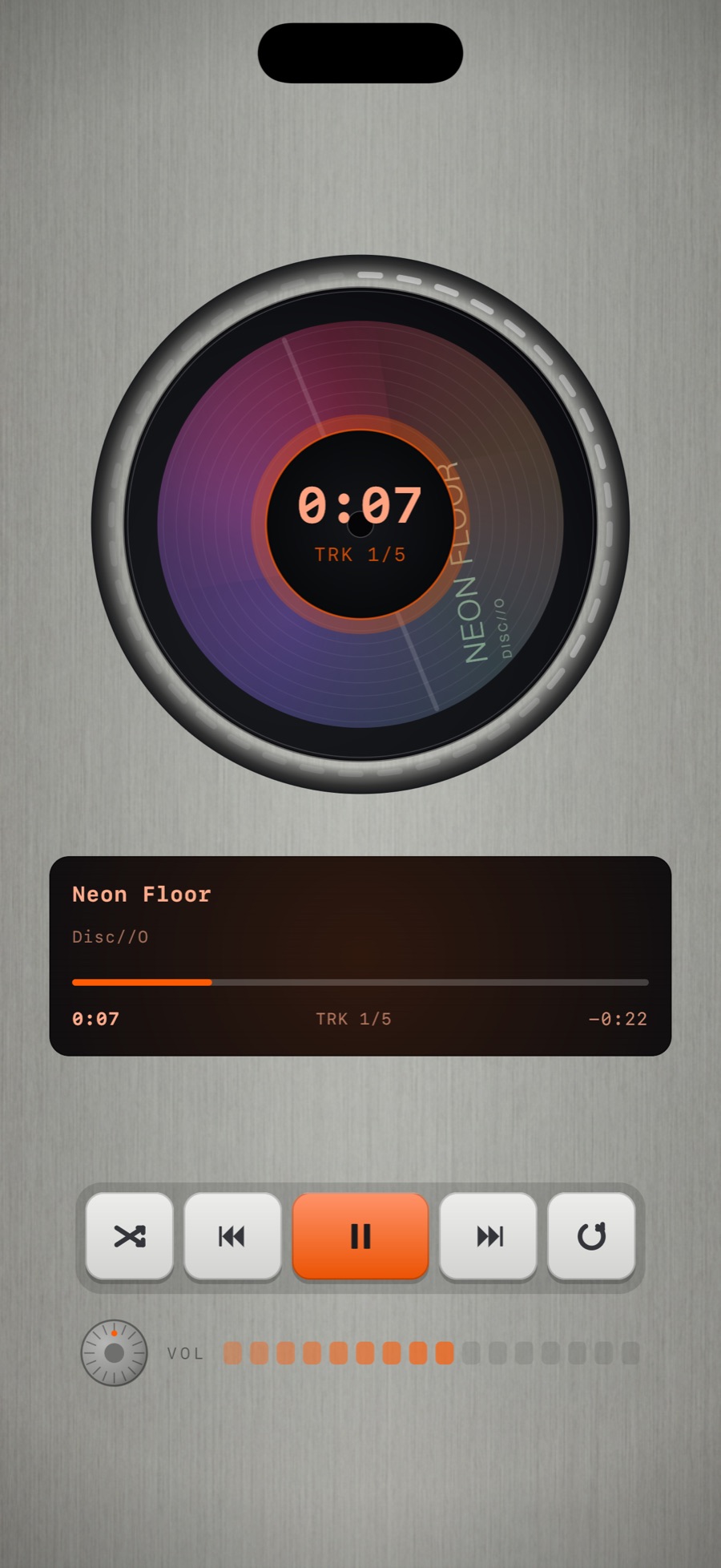
Your album on a spinning disc in a brushed-steel body.
Try the classic wheel today
Every machine plays for a free preview. MP95 Pro unlocks it for good, on iPhone, iPad and Mac.