Offline music player
Play your own music files offline, without ads or an account.
Learn moreFeature
Ten bands from 31 Hz to 16 kHz. The line on screen is the filters’ real response and it passes through every point you set. Boosts lower the whole curve instead of clipping, and your headphones’ AutoEQ profile sits on top.
Free to start · No account · No ads · Works offline
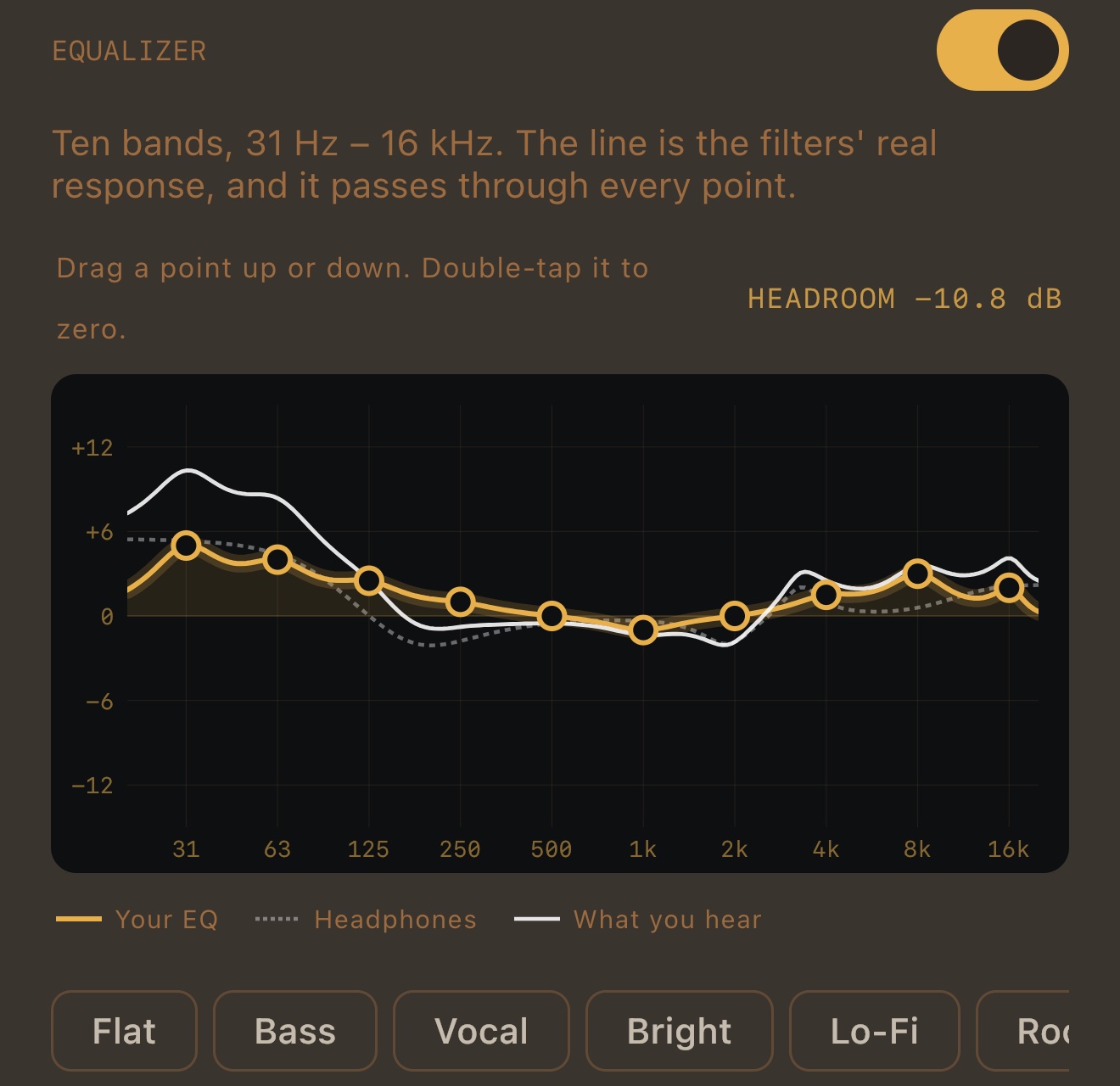
Most graphic equalizers move a set of filters and hope. Neighbouring bands overlap, so raising 63 Hz by 6 dB also lifts 31 and 125, and the curve on screen is a drawing, not the sound. In MP95 the ten points (31, 63, 125, 250, 500 Hz, 1, 2, 4, 8, 16 kHz, standard ISO centres) are targets: the app solves for the filter gains that make the real response pass through every point, to within a few thousandths of a decibel, and draws that response. What you see is what the filters do.
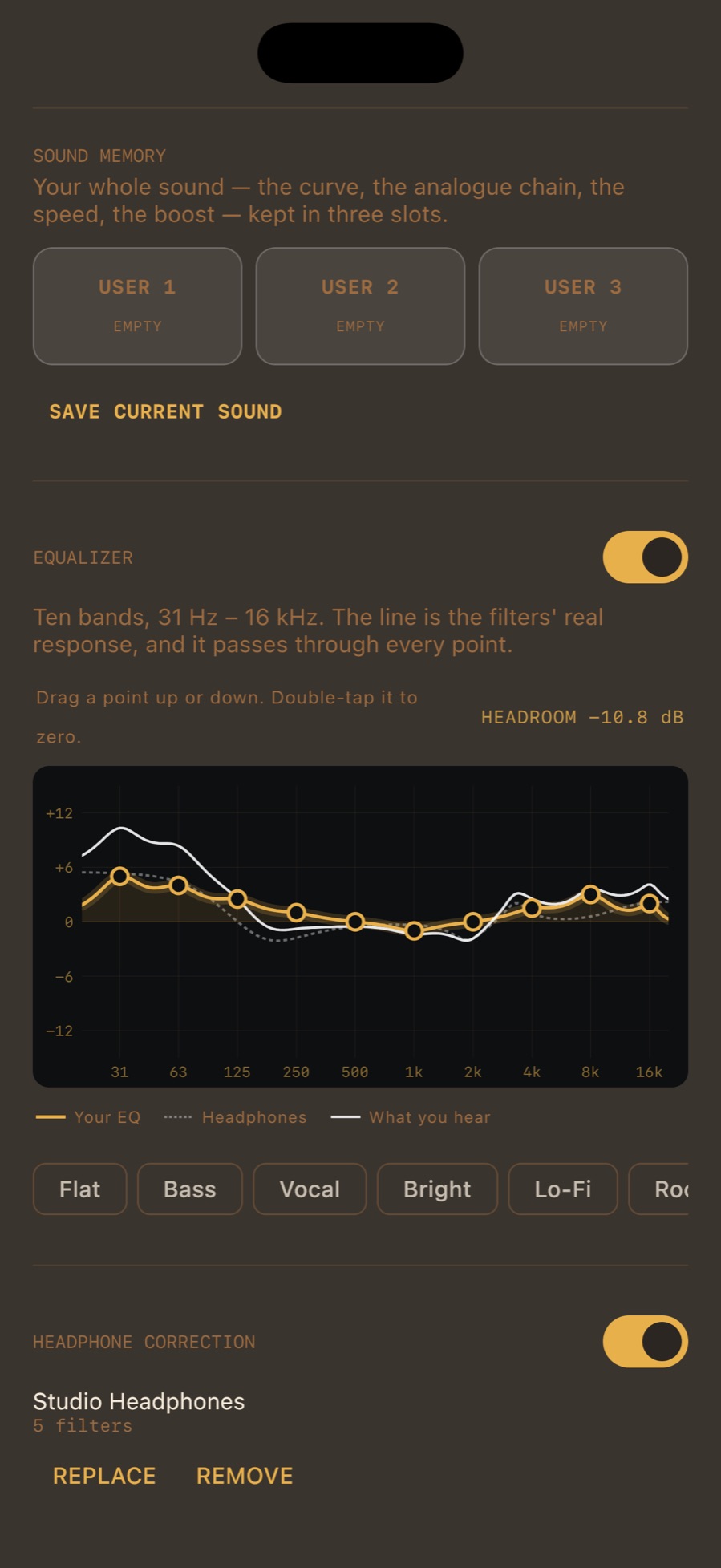
A boost adds level, and level has to come from somewhere. MP95 lowers the whole curve by its highest point before the signal reaches the output, and shows it: HEADROOM −10.8 dB. A boost never has to be squashed by the limiter. The limiter is still there as a safety net for rare peaks that phase shifts can create, but a normal EQ setting never reaches it.
Import your headphones’ measured profile from autoeq.app and MP95 bends their response toward a neutral target, in its own stage with its own switch. With a correction on, the graph shows three lines: your EQ, the headphone correction (dashed) and what you hear, the two added together. How the headphone correction works.
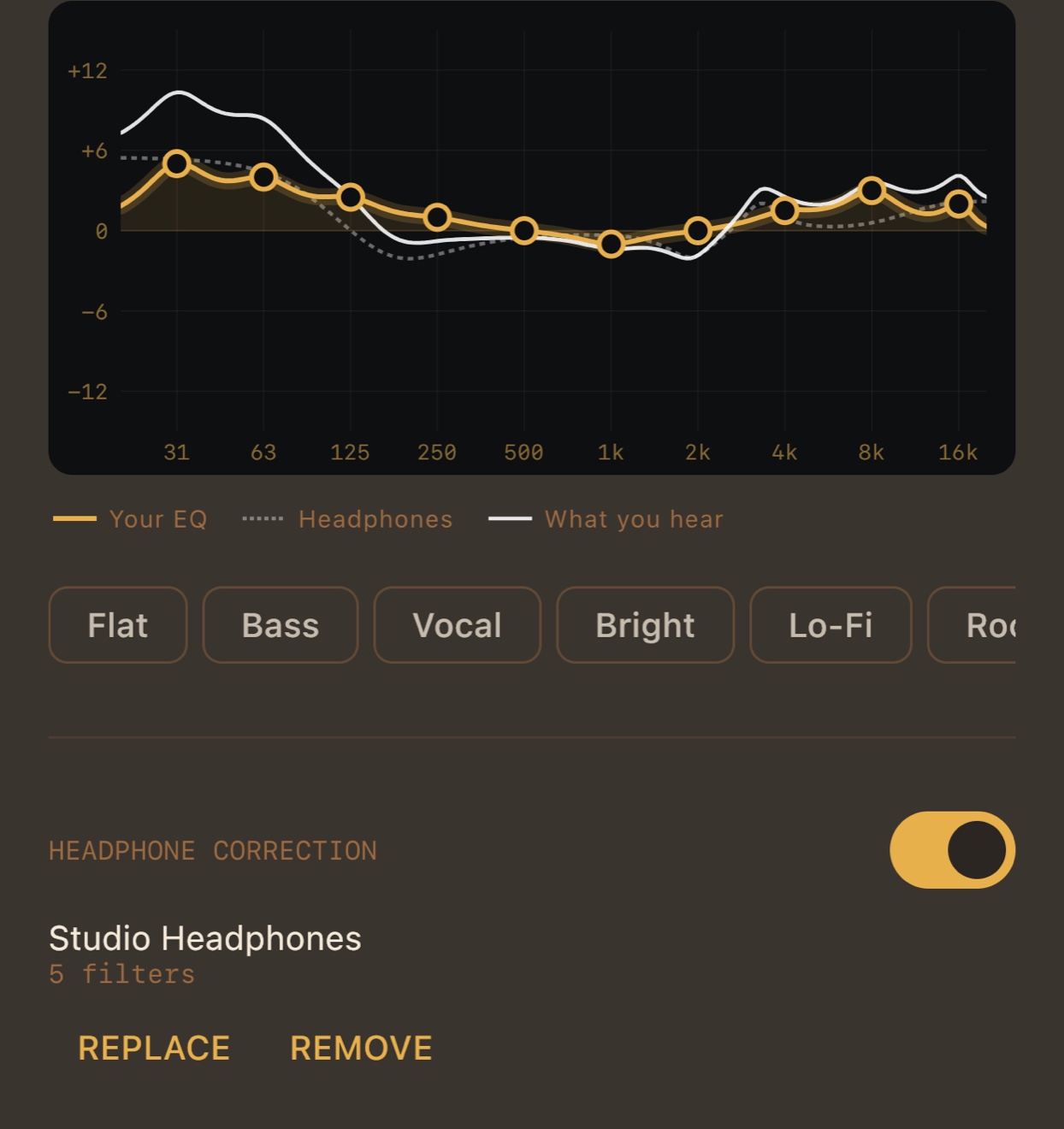
Fourteen presets (Flat, Bass, Vocal, Bright, Lo-Fi, Jazz, Rock, Pop, Hip-Hop, Tape, Vinyl and more), each carried over from the old five-band curves by sound, not by copying numbers. Three memory slots keep your whole sound: the curve, the analog chain, the speed and the boost. The headphone correction is not part of a slot, because it belongs to the headphones, not to the song.
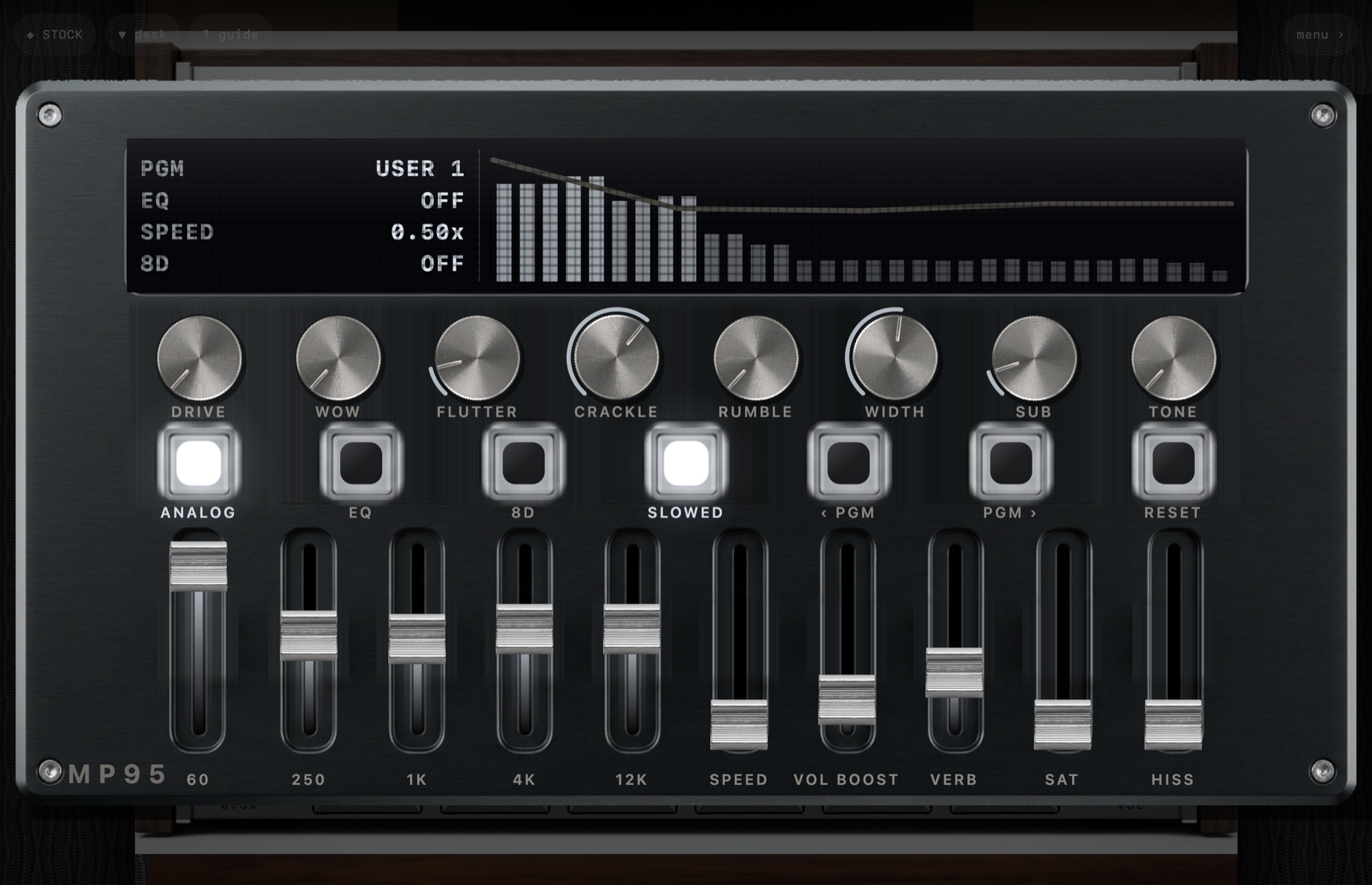
On the Mac the five faders of the sound desk bend the same ten-band curve with smooth overlapping windows, so the desk still feels like a desk while the engine underneath is the new equalizer.
Ten, at the ISO centres from 31 Hz to 16 kHz, on iPhone, iPad, Android and Mac.
Yes, the 10-band EQ, its presets, the memory slots and AutoEQ headphone correction are free on every platform.
No. The whole curve is lowered by its highest point, shown as HEADROOM, so a boost never has to be limited.
A flat EQ is skipped entirely. Any other setting changes the samples, and the Output line says so.
More features
Play your own music files offline, without ads or an account.
Learn moreTap the FX chip and the room behind the player answers the music: spectrum bars, a waveform, an aurora, a stream of light, a pulse, or full RGB.
Learn moreRoom Light drives the iPhone flashlight from the low-frequency envelope of the track.
Learn moreThe sound circles slowly around your head, about one revolution every eleven seconds, with the delay and shadowing your ears use to locate a real source.
Learn morePick the cassette deck and you hear tape.
Learn moreThe slowed switch drops the speed of the machine and adds a room.
Learn moreMP95 is free to start. No account, no ads, no internet.