Add MP95 to the iPad Home Screen
Install and open MP95, import a few albums and start a track. Touch and hold an empty area of the Home Screen, open the widget gallery using Edit → Add Widget or the plus button, then search for MP95. Select Now Playing, choose an offered size and add it to the page.
MP95 supports small, medium and large Home Screen widgets. On iPadOS 17 and later, the transport buttons control playback directly. Select the active machine in the app and the widget follows that player. Our iPhone widget guide explains the shared controls and setup checks.
Make room for the way you listen
For reading, put a medium widget near your reading app: the song is easy to reach without taking over the page. For an iPad on a desk or stand, try the large widget with a clear area around it. Check the arrangement in both portrait and landscape.
A dedicated music page can hold MP95, Files and the apps you use during a listening session. Keep the widget outside a rotating stack if you want its controls visible every time you return home. A stack saves space, but another widget may be the one you see first.
Prepare an offline album library
Import your albums through Files. Download cloud-only files before a trip, then start an album in MP95 and return to the Home Screen to check the widget. The music import guide covers the Files workflow shared by iPhone and iPad.
Correct tags and cover art make browsing easier when the library grows. Fix missing covers or inconsistent album names before adding hundreds of tracks. See our tag and album-art guide for the supported editing workflow.
Switch from quick controls to the full player
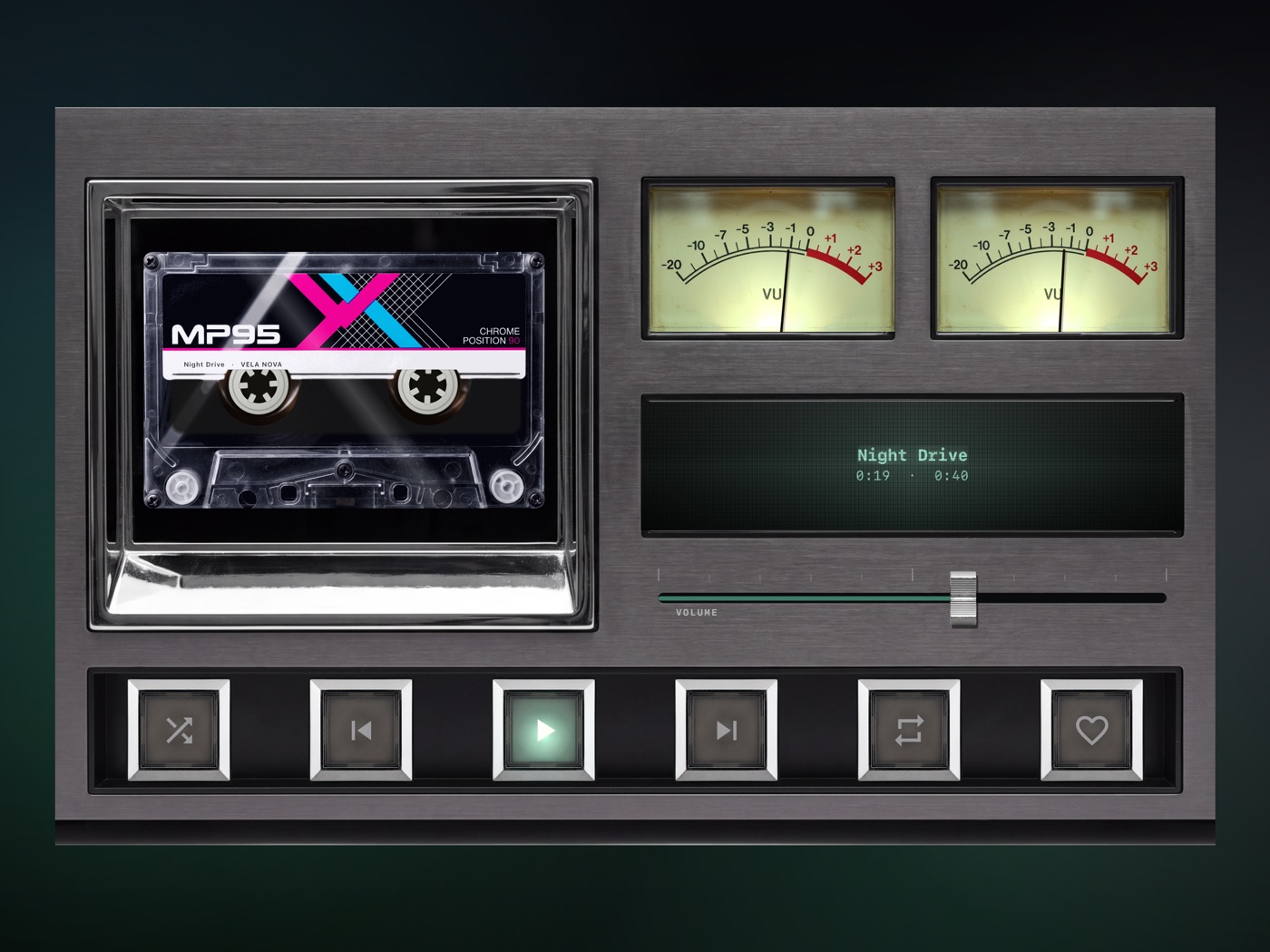
The widget is for a glance at the track and a quick pause or skip. Open MP95 to browse albums, choose a queue or adjust the sound. On iPad, cassette and reel-to-reel players have desk-style layouts that use the larger display.
What to expect from a music widget
The MP95 widget shows the current track, progress and transport controls. It does not browse the full library or control another app's streaming session. Its illustrated record or tape stays still; use the full player for the animated mechanism and visualizers.
A Home Screen widget also differs from the system's Lock Screen playback controls. If its title looks stale, verify playback in MP95 first: the system manages widget refreshes. If MP95 is missing from the widget gallery, launch the app after installation and try again.
Frequently asked questions
Does MP95 have music widgets for iPad?
Yes. The Now Playing Home Screen widget supports small, medium and large sizes.
Can I pause music from the iPad widget?
Yes, on iPadOS 17 and later. MP95 supplies play/pause, previous and next controls.
Will cloud-only songs play offline?
Download and import the audio files before disconnecting. The widget controls the player rather than downloading your library.