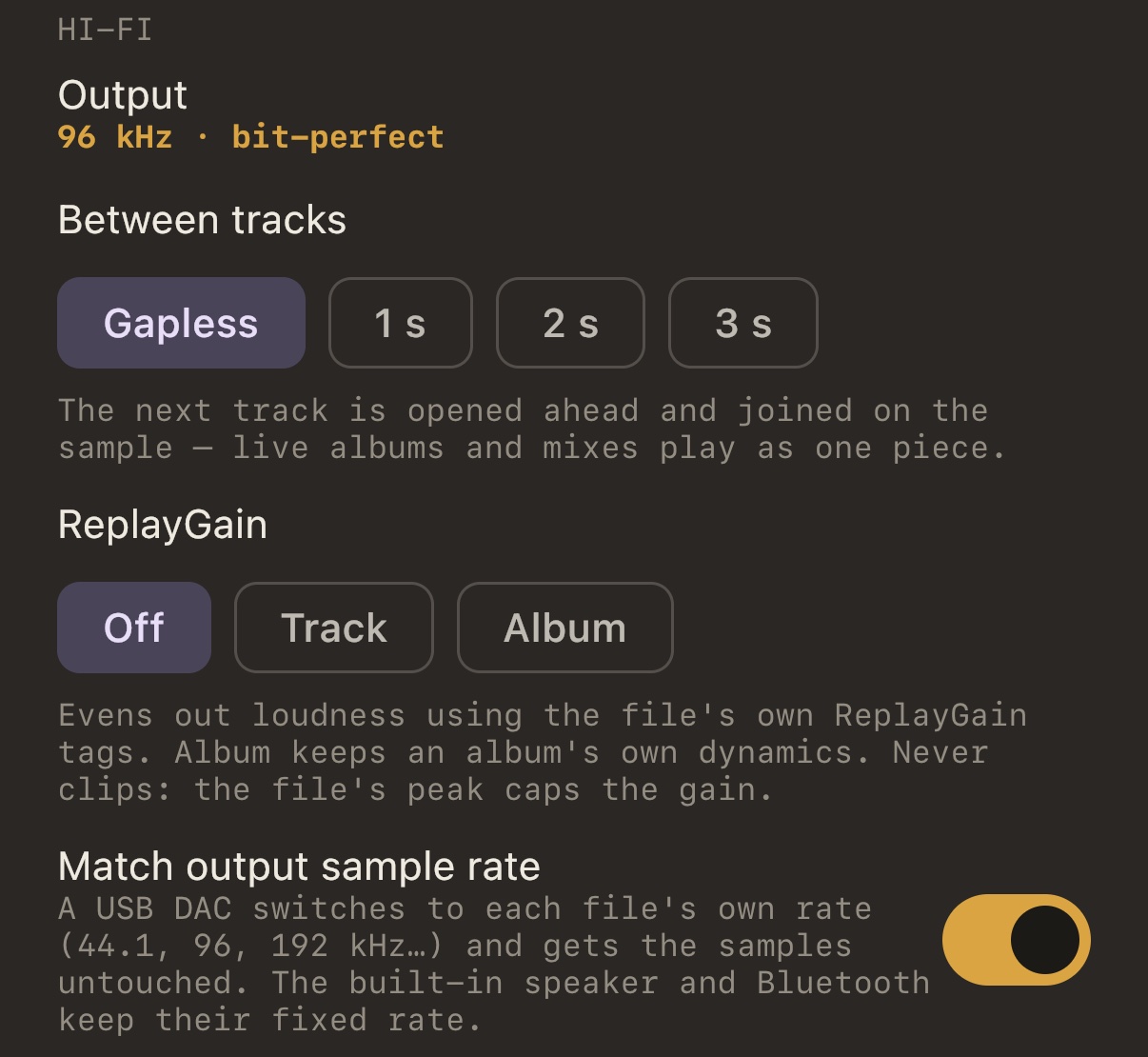
Per-track rate
With Match output sample rate on, MP95 asks iOS for each file’s rate. The DAC follows: 44.1 for a CD rip, 96 or 192 for hi-res. A DAC plugged in mid-song is picked up without stopping. How it works.
The Output line
Settings → Sound → Hi-Fi shows the live state: 96 kHz · bit-perfect when nothing is processing and the DAC is at the file’s rate, → 48 kHz · resampled when the device refused, or the list of stages that are shaping the sound.
What you plug in
USB-C iPhones take USB-C DACs and dongles directly. Lightning iPhones need a Lightning DAC or Apple’s camera adapter. Using a USB DAC with iPhone.
Frequently asked questions
Does the iPhone support 24-bit/192 kHz?
Through a USB DAC, yes: iOS runs the output at the rate the DAC accepts. The built-in speaker and Bluetooth do not.