Documented features
| Feature | MP95 | Neutron |
|---|---|---|
| Reviewed edition | MP95 for Android Source | Neutron Music Player; platform-specific output support Source |
| Payment model | Free Android app Source | Not verified |
| Local / offline music | Local files; no MP95 account required Source | Local library Source |
| Documented formats | MP3, FLAC, ALAC, AAC, WAV, AIFF and more Source | FLAC, ALAC, APE, WavPack, Opus and more Source |
| File transfer | Shared storage / selected music folders Source | Not verified |
| Cloud / server sources | Selected folders; provider availability varies Source | SMB, UPnP/DLNA, FTP, WebDAV and Subsonic Source |
| Gapless | Gapless; matching-rate joins and file metadata matter Source | Gapless Source |
| Loudness adjustment | ReplayGain track / album tags Source | ReplayGain Source |
| Crossfade | No crossfade; optional pauses are separate Source | Crossfade Source |
| Equalizer | 10-band graphic EQ Source | Parametric and graphic EQ Source |
| Headphone crossfeed | BS2B; included Source | Crossfeed Source |
| Headphone correction profiles | Import parametric AutoEQ profile Source | Frequency-response correction / AutoEQ profiles Source |
| Tag editing | MP3, FLAC and M4A; supported writable files Source | Not verified |
| Visualizer / analyzer | Music-reactive visualizers Source | Spectrum and RMS analyzers Source |
| Widgets | Not verified | Not verified |
| Car integration | Not verified | Android Auto / CarPlay, by platform Source |
| Lyrics | Not verified | Embedded and LRC lyrics Source |
| DSD handling | DSF/DFF decoded to PCM; no native DSD or DoP Source | Native / DoP and PCM conversion; hardware-dependent Source |
| DAC / output controls | Android 14+ supported USB routes; device-dependent Source | Not verified |
| Advertising | No ads in free or paid tier Source | Not verified |
Not verified means this review has not established the feature for the named edition; it does not mean absent. Links beside entries lead to supporting product documentation. Hardware support, app versions, subscriptions and add-ons can change the result.
Neutron: documented strengths
Neutron lists advanced EQ, AutoEQ profiles, crossfeed, ReplayGain, gapless and crossfade. Its documentation also covers network sources, lyrics and supported native DSD/DoP outputs.
MP95: capabilities and limits
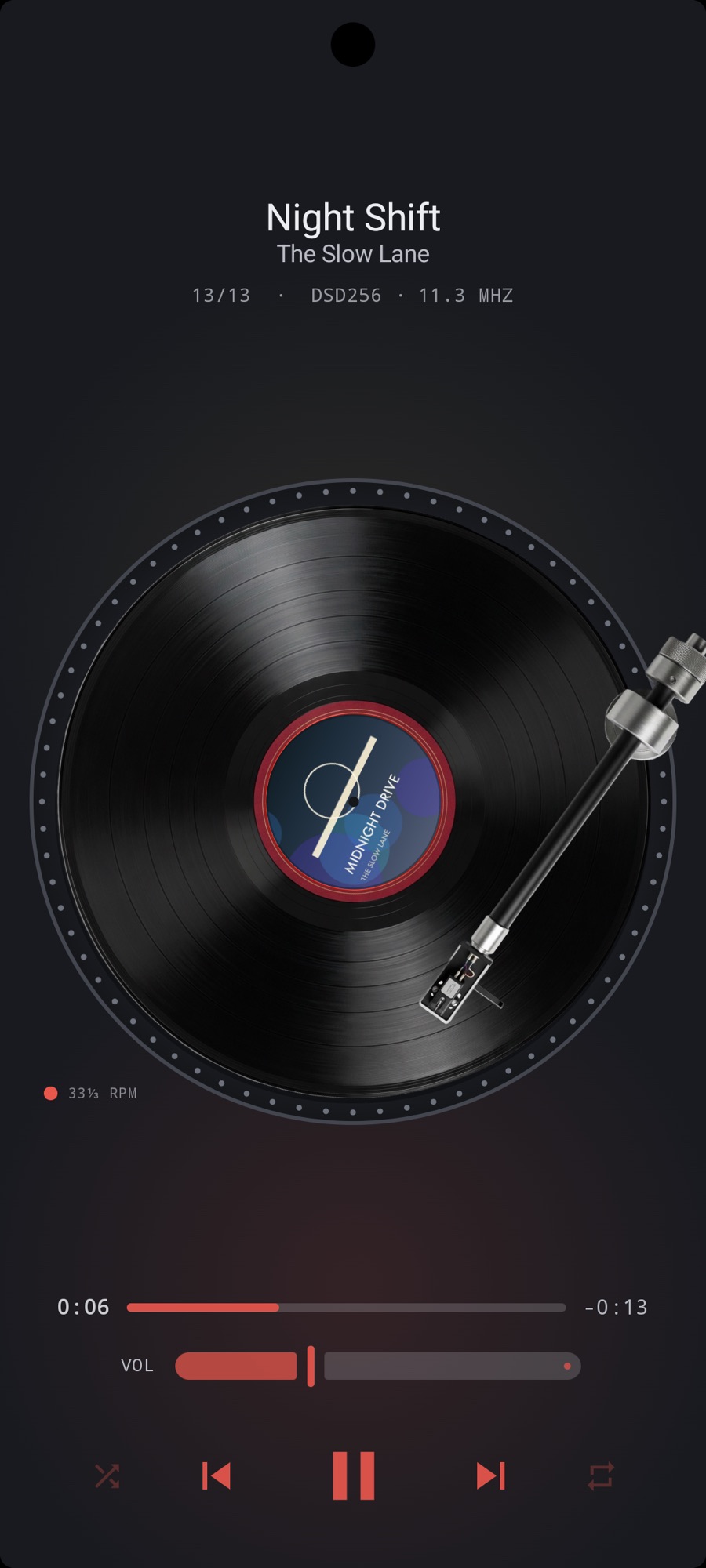
MP95 plays your own files with a retro interface, EQ, ReplayGain, gapless and optional sound processing. DSD is converted to PCM; native DSD and DoP are not provided. Rate matching depends on the operating system, output route and hardware. Processing must be bypassed when checking unchanged samples.
On Android the app is free. On Apple platforms there is a free tier and optional Pro plans, including a lifetime option. MP95 does not include a streaming music catalogue. External file providers may need their own account or internet connection.
Choosing for your library
Consider Neutron for its DSP and network/output controls. Compare the relevant mobile edition and hardware with MP95 rather than treating either engine as universally better.
Sources and review scope
Reviewed 17 October 2026. This page is published by the developer of MP95. Competitor entries describe claims in the linked official documentation, not independent hardware tests. We have not tested every feature or configuration.
Neutron
Payment models are compared without regional price quotes. Check the store for your country, current terms and any optional purchases.
Frequently asked questions
Does “Not verified” mean the feature is missing?
No. It means this review has not confirmed the feature for the edition shown. Check the linked product documentation or ask the developer before relying on it.
Is this an independent review?
No. MP95 is our app. We link the official sources used for competitor claims, identify the reviewed edition and separate unknowns from documented features.
Can a playlist or protected download move between these apps?
Do not assume so. File permissions, DRM, playlist formats and app databases differ. Keep originals and check each app’s import and export documentation.