What changes at the track boundary?
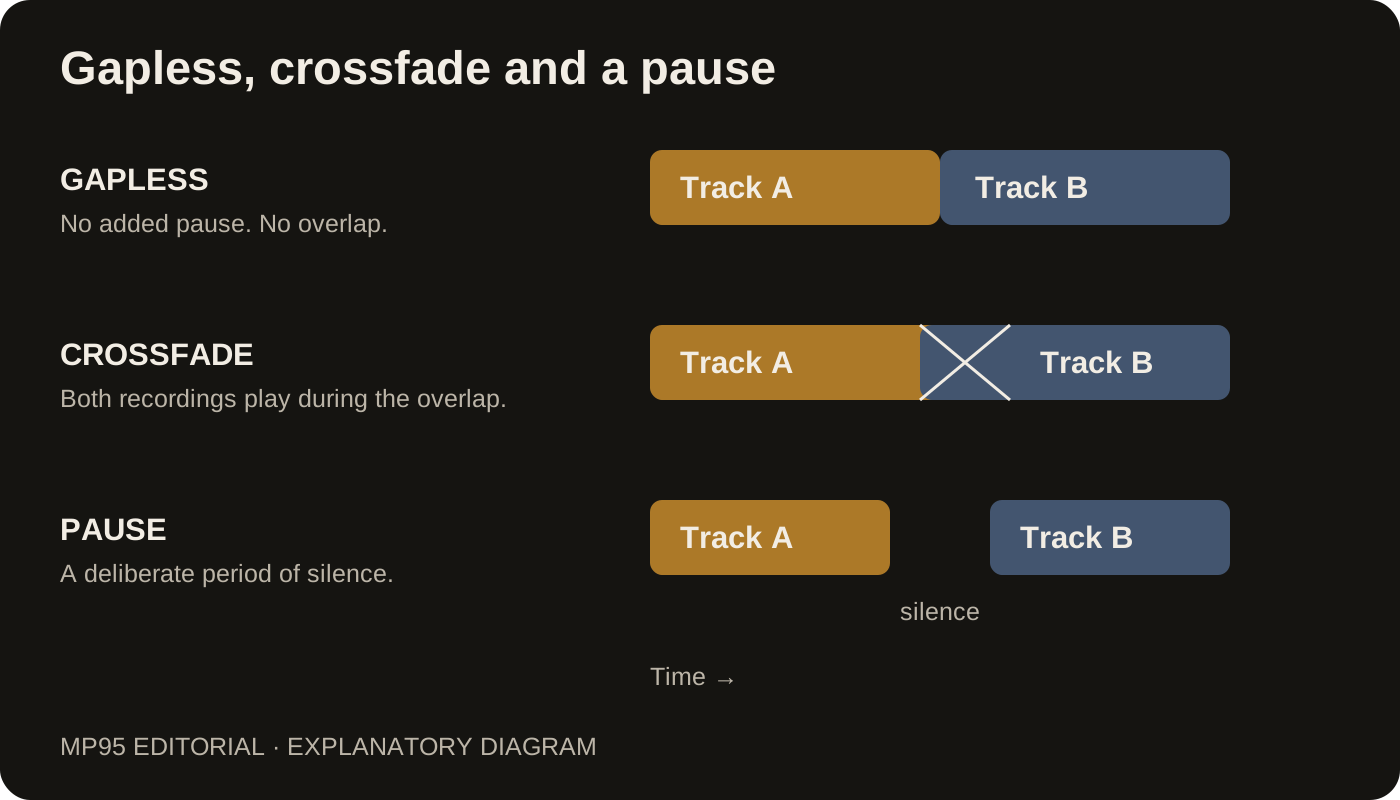
Gapless playback removes the extra pause a player might insert between files. Track A ends and track B begins without an added gap. It does not overlap the recordings or invent a transition that was not in the original.
Crossfade fades the end of one track down while the next comes up. Both recordings play during the overlap. That can smooth a playlist assembled from unrelated songs, but it also changes the timing and balance at the join.
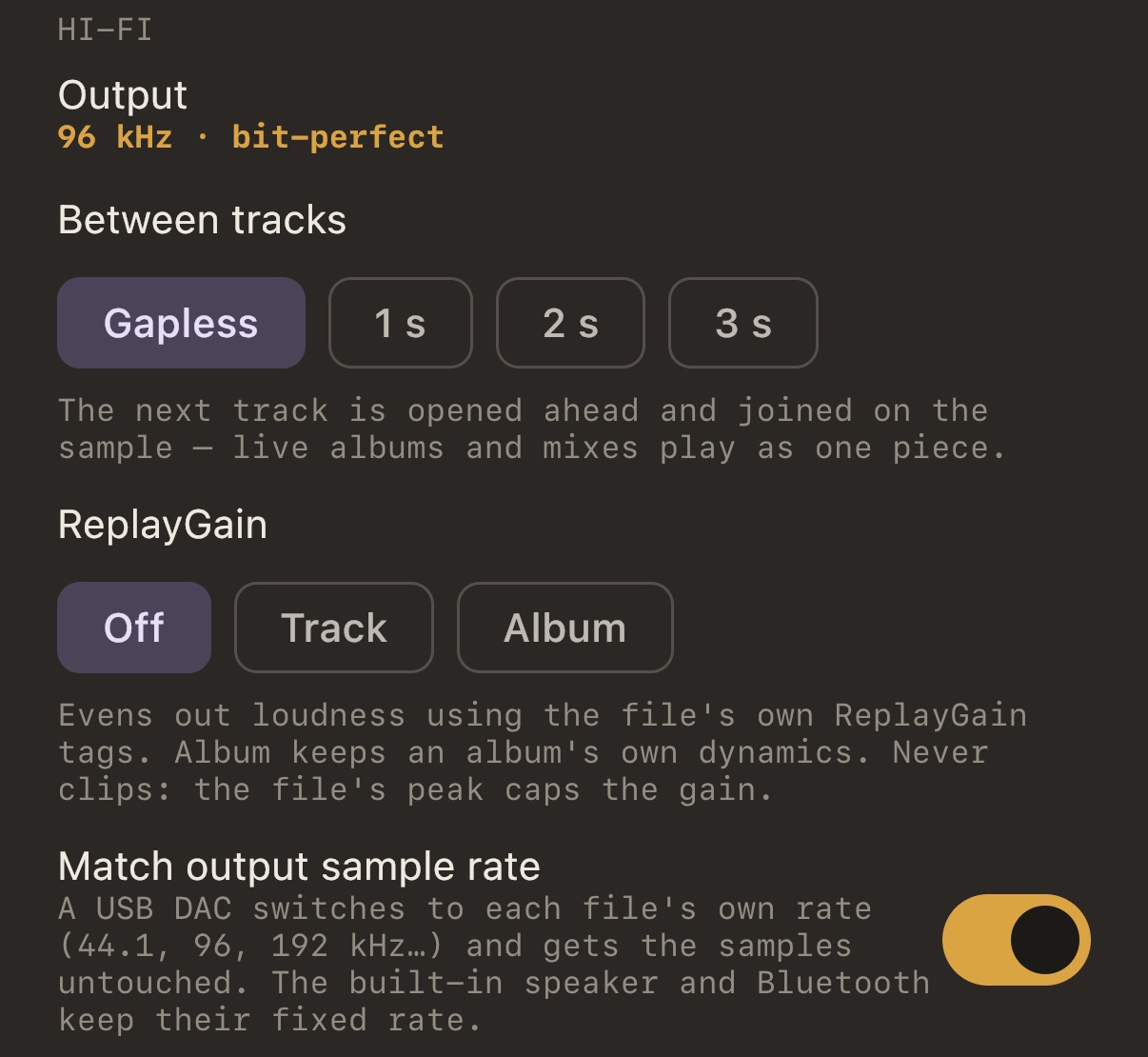
A third choice is a deliberate pause. Silence between tracks can be useful, but it is neither gapless nor crossfade. In MP95, the 1 s, 2 s and 3 s choices under Between tracks insert pauses; they are not crossfade durations.
Choose for the recording, not the label
| What you are playing | A sensible starting point |
|---|---|
| Live album, continuous mix, connected movements | Gapless, original track order |
| Unrelated songs for a continuous playlist | Crossfade in a player that supports it, if you like the overlap |
| Recordings that need breathing room | A deliberate pause |
Try a transition you know. If applause flows through the original boundary, crossfading can double part of the crowd sound or bring the next entrance forward. Gapless is usually the better starting point for preserving that sequence.
Set up gapless in MP95
- Open Settings and find the Hi-Fi controls.
- Under Between tracks, select Gapless.
- Play a continuous album in order with shuffle off.
- Listen across an actual track boundary, rather than skipping manually to the next song.
MP95 prepares the next file ahead of the join. See the gapless implementation page for the technical details.
If you still hear a gap
First check the recording. Silence encoded into a file remains part of the audio; removing a player's added pause does not edit the file. Some MP3 files also lack the encoder-delay and padding information needed for an exact boundary.
Then compare the two files' sample rates. A change can require the output path or DAC to reconfigure. Test two adjacent tracks from the same album at the same rate before blaming an unrelated setting. EQ and ReplayGain solve different problems; neither repairs missing audio at a track boundary.