What AutoEQ is
AutoEQ is an open project that takes published frequency-response measurements of headphones and computes an equalizer setting that brings each model closer to a neutral target curve. The result is a short list of filters per model. It does not make cheap headphones expensive, but it removes the most obvious peaks and dips, and it is free.
1. Download the right file
- Open autoeq.app.
- Search for your headphone model and pick the measurement source if there are several.
- Under the equalizer app, choose Equalizer APO.
- Download ParametricEQ.txt. The GraphicEQ file is a different format; MP95 needs the parametric one.
2. Load it in MP95
- iPhone and iPad: save the file to Files (iCloud Drive or On My iPhone). In MP95: Settings → Sound → Headphone correction → Import AutoEQ profile.
- Mac: Settings → Headphone correction → Import, and pick the file from Downloads.
- Android: the same section in Settings → Sound; pick the file from Downloads.
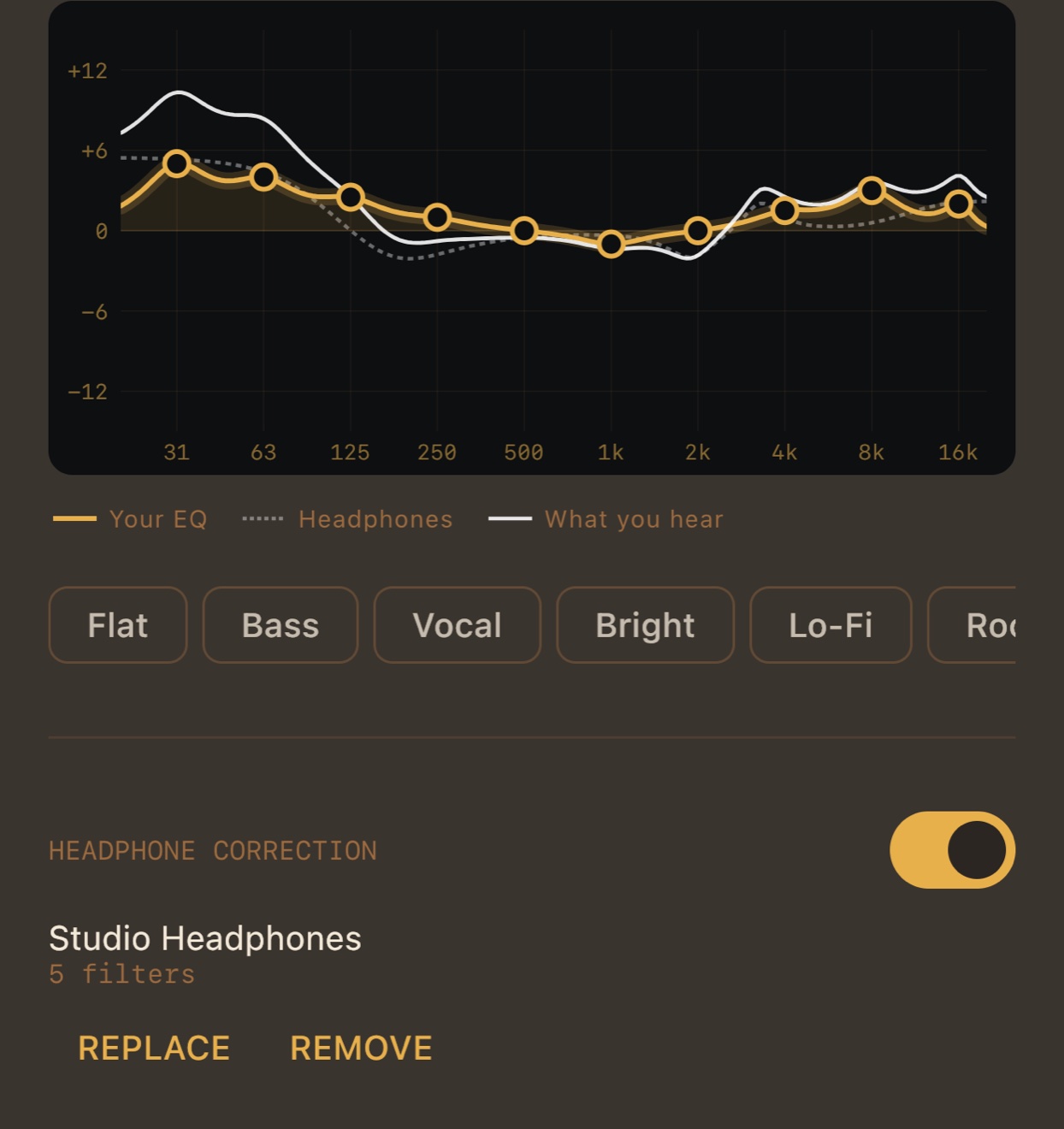
3. Read the graph
MP95 draws three lines when a correction is on: your own EQ, the headphone correction (dashed), and what you hear, the two added together. Adjust your 10-band EQ by taste; the white line shows where you end up.
Tips
- Load the profile for the exact model and, if listed, the right ear pads or version.
- Corrections often boost the bass. MP95 lowers the whole curve by its highest point, so this costs level, not clipping: turn the volume up a little.
- The correction is not stored in your EQ presets or memory slots. Change headphones, change the profile.
- Switch it off for bit-perfect playback; the Output line tells you which state you are in.
Frequently asked questions
Is there Equalizer APO for iPhone or Mac?
No. Equalizer APO is Windows-only. MP95 reads the same ParametricEQ.txt files on iPhone, Android and Mac.
Is AutoEQ free in MP95?
Yes, on every platform.
Can I use it with wireless headphones?
Yes. The correction is applied before the signal leaves the app, so it works over Bluetooth too.