Why the widget does not animate
iOS widgets cannot animate; they are rendered snapshots. Apps that pretend otherwise step the picture every minute, or draw a spectrum that has nothing to do with the music, and it always looks wrong. MP95 widgets show the machines parked, and the only moving parts are the two things iOS renders live: the playhead and the elapsed time. Nothing fakes.
Which widgets
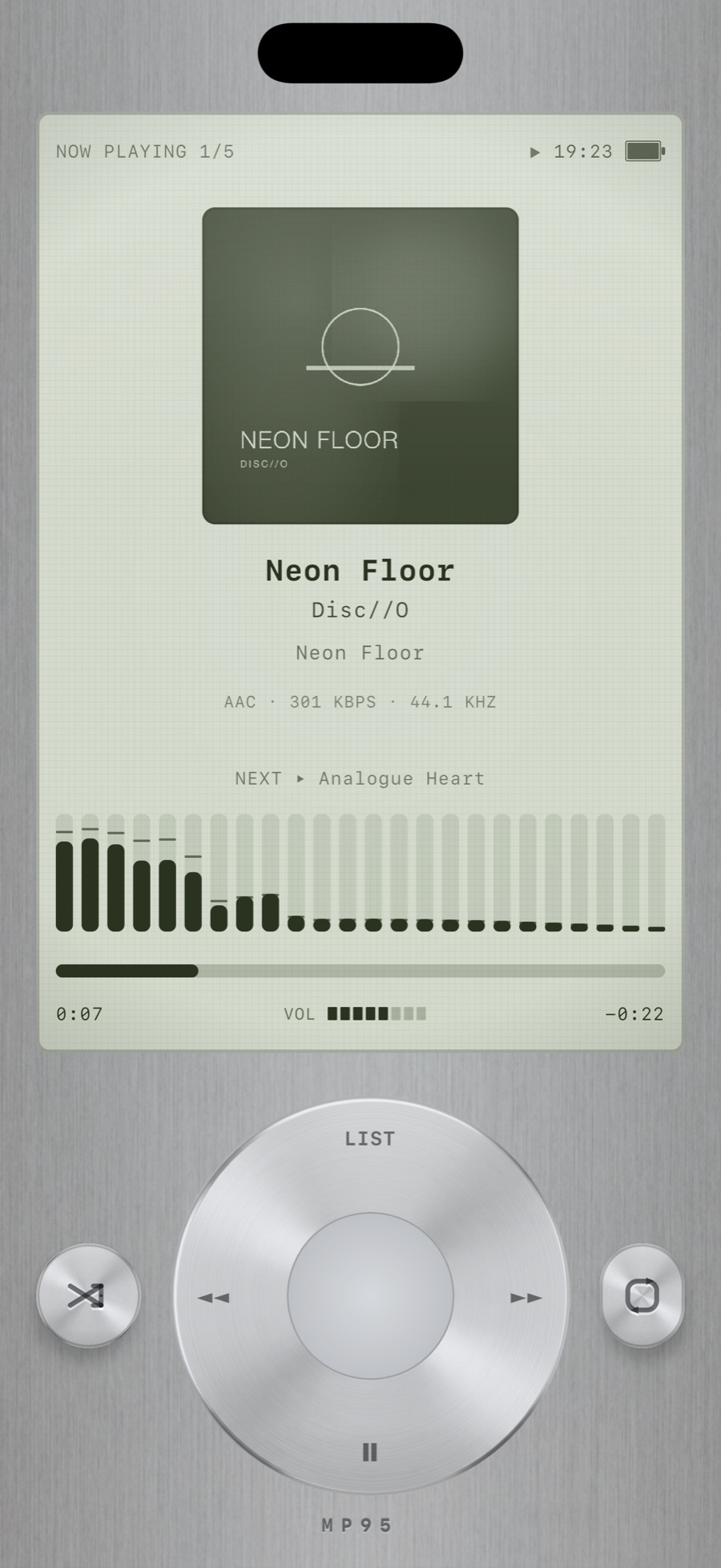
Every machine has one. The cassette deck with its keys on the shell strip. The digital display with its glyphs. The click wheel with invisible zones on the ring. The turntable, reel and disc with a row of accent keys. Small, medium and large.
Keys that work
On iOS 17 and later the transport on the widget controls playback: play/pause, previous and next. On the click wheel, the left, right and bottom zones of the ring are previous, next and play/pause; menu and the centre open the app.
Setting it up
- Long-press the home screen, tap the plus, and search for MP95.
- Pick the size. Small: a compact display and a large wheel. Medium: display beside the wheel. Large: stacked.
- Play something in MP95. The widget takes the machine you are using and shows the current track.
Matching the rest of the screen
The cassette deck widget reads best on dark wallpapers; the click wheel on brushed greys and off-whites; the digital display on anything black. Pair it with a clock widget in the same tone and the whole screen reads as one object.
Frequently asked questions
Do MP95 widgets show the current song?
Yes, with a live playhead and elapsed time.
Can I control music from the widget?
Yes on iOS 17 and later: play/pause, previous and next.