What 8D audio is
“8D audio” is an informal name for a moving stereo effect, not an eight-dimensional recording format. Panning, small timing and level differences, filtering and reverb can create a sense of movement on headphones. The result depends on the recording, headphones and listener; it need not sound convincingly outside the head.
How MP95 does it
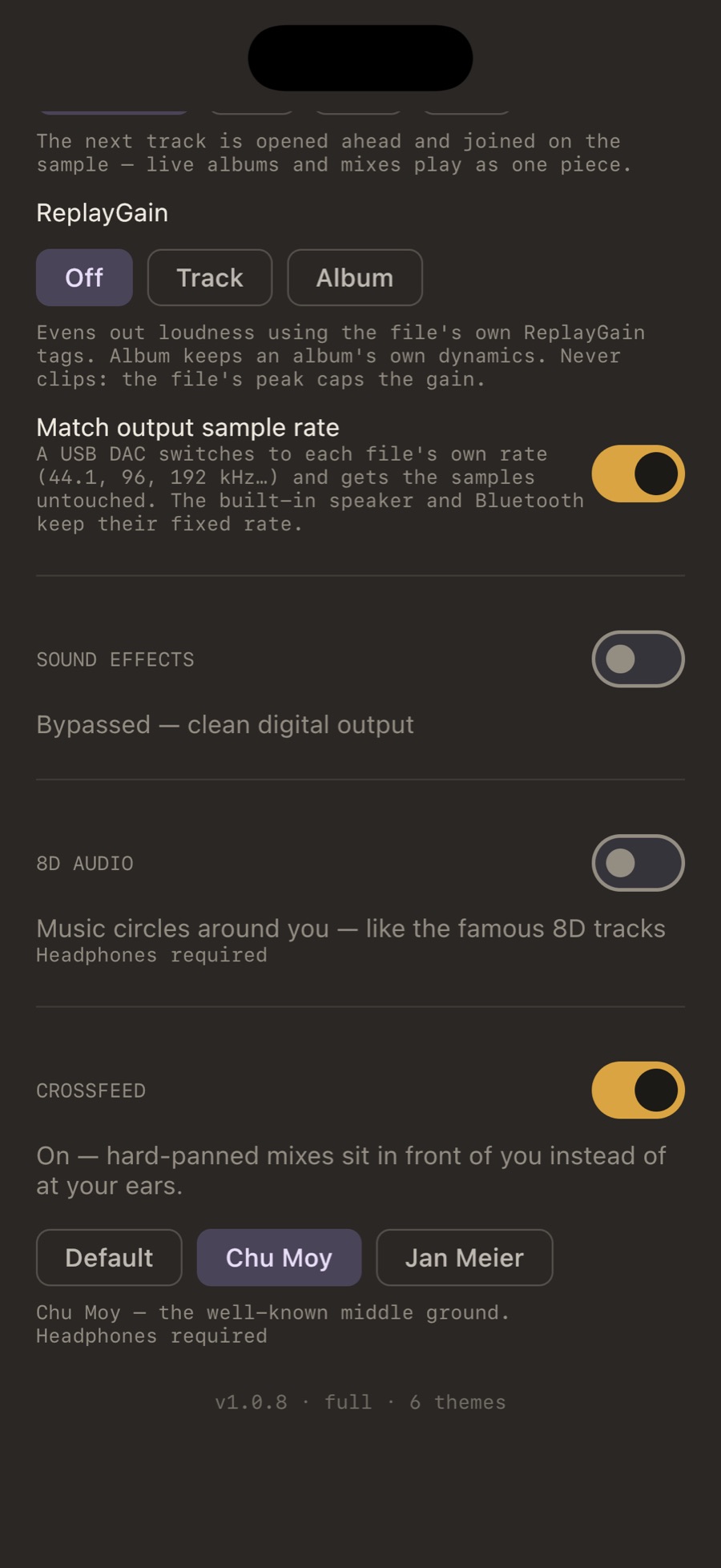
MP95 applies its 8D effect during playback of supported local files. You can combine it with other sound settings and switch it off to return to ordinary playback. This is not head-tracked spatial audio and does not turn a stereo file into a discrete surround recording.
Steps
- Put on headphones. Any headphones or earbuds.
- Play a track in MP95.
- Open Settings → Sound (on the Mac, pull up the desk) and switch on 8D.
- Optionally add Slowed for the slowed-and-8D combination, or the cassette chain for warmth.
What works best
Tracks with a wide stereo mix and sustained elements (pads, vocals, reverb tails) orbit most convincingly. Dense mono-ish mixes move but with less drama. Anything with a long intro is a good demonstration: the orbit is audible before the beat arrives.
Spotify and Apple Music
MP95 processes the local files it plays. It does not capture or process another app’s Spotify or Apple Music session, and it does not extract protected downloads. Authorised streaming integrations offered by other apps are a separate workflow.
8D is free on Android and included with MP95 Pro on Apple platforms.
Frequently asked questions
Does 8D audio work without headphones?
Headphones usually make stereo timing and level cues easier to hear. The result over loudspeakers depends on the room and setup, and may be much weaker.
Can I make a Spotify song 8D?
MP95 does not process another app’s Spotify session or extract its protected downloads. It applies effects to supported audio that MP95 plays.
Is 8D bad for hearing?
The effect is stereo processing, not a hearing-safety guarantee. Keep listening volume comfortable and stop if the motion effect is unpleasant.