What the effect is
Take a track, slow it to about 80–90 percent so the pitch falls with the speed (that is the important part: time-stretching that keeps pitch sounds wrong here), and add a reverb long enough that the elements smear into each other. Vocals get heavier, drums get lazier, everything feels a little underwater. It became a genre on YouTube and it works on almost anything.
Why varispeed sounds right
The classic versions were made by literally slowing tape or a turntable, so pitch and tempo fall together. MP95 does the same: the machine runs from half speed up, and the mechanism follows. On the reel-to-reel the reels slow, on the cassette deck the hubs slow, and the VU meters breathe more slowly. There is no time-stretch, so there are no artefacts.
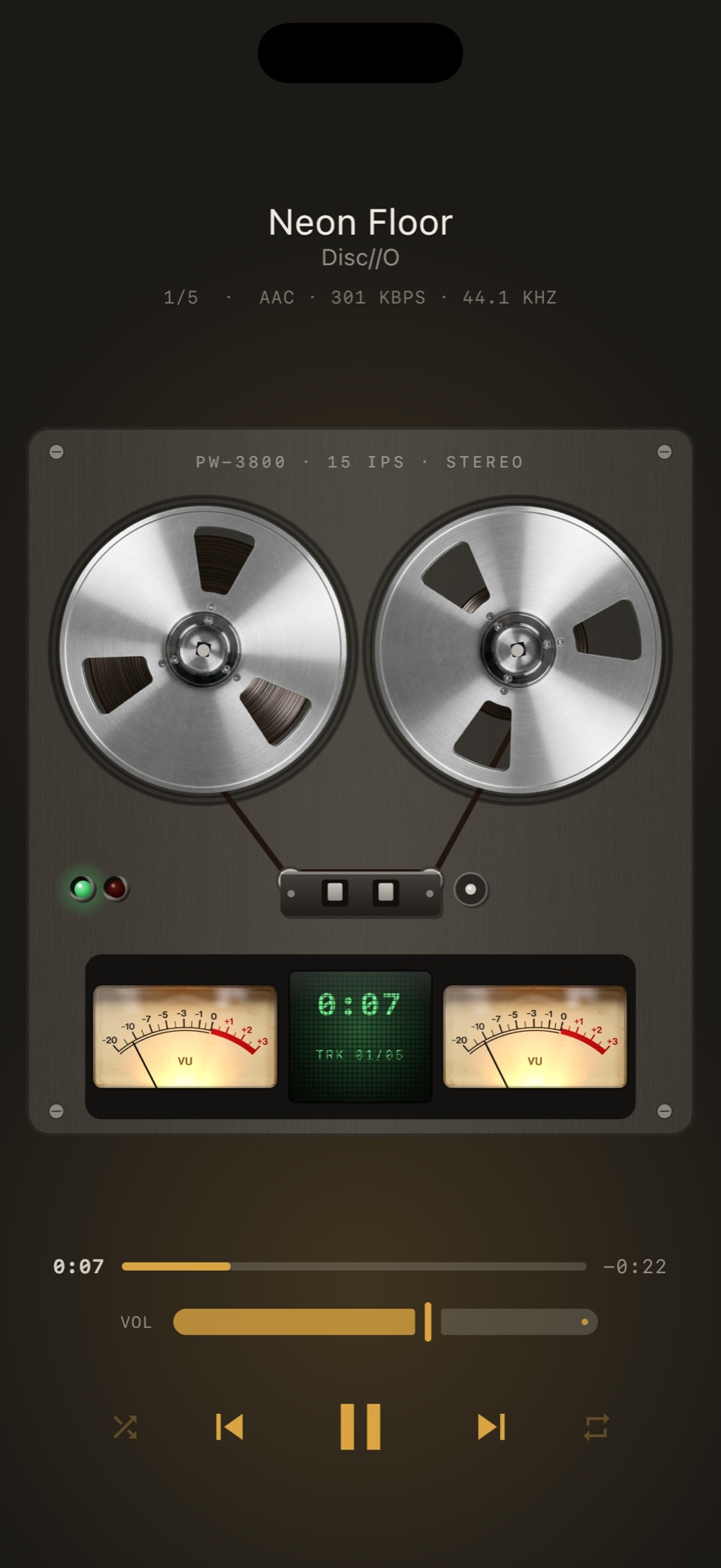
Steps
- Play a track in MP95.
- Open Settings → Sound (on the Mac, pull up the desk).
- Switch on SLOWED. It sets the speed and the reverb together.
- Want it subtler or deeper? Drag the speed slider yourself. Hold PGM to store the result in a memory slot.
Combine it
Slowed with the cassette chain gives the warped-tape sound. Slowed with 8D orbits the slowed track around your head. All of it is live, so switch between them mid-song.
Exporting
MP95 is a player, not an editor; it does not render or export the slowed version. It plays your file slowed, now. Slowed + reverb is part of MP95 Pro and works on the music files you own.
Frequently asked questions
Can I slow down a song on iPhone without an app?
The Music app has no speed control. A player with varispeed, such as MP95, slows any file you own live.
Does slowing keep the pitch?
Not in MP95, on purpose. Slowed + reverb is defined by the pitch dropping with the speed, as on tape.