How to tell a real visualizer from a loop
Pause the music. A real visualizer goes still or falls to its floor; a loop keeps going. Play a track with a long quiet intro; a real one waits with it. Skip to a kick-heavy section and watch the low bars. If the picture does not change with the music, it is wallpaper.
The technical difference is an FFT: the app takes the audio it is playing, splits it into frequency bands many times a second, and drives the picture from those numbers. That costs a little battery and a lot of care, which is why so many apps skip it.
What MP95 draws
MP95 runs an FFT tap after its sound chain, so the visualizers follow what you actually hear, including the EQ and the tape or vinyl processing.
Seven backdrops behind the cassette, vinyl, reel and disc players, cycled from the FX chip: STOCK (each machine's own look), BARS (a spectrum analyser), WAVE (the waveform), AURORA (bands of colour moving with the energy), STREAM (light pouring with the beat), PULSE (breathing with the level) and RGB (the room lit in colour). Each machine remembers the backdrop you gave it.
Six displays on the digital player, cycled by tapping the screen: CLOCK, BARS, DOTS (a dot matrix with every unlit dot still faintly drawn), WAVE, RINGS and VU meters.
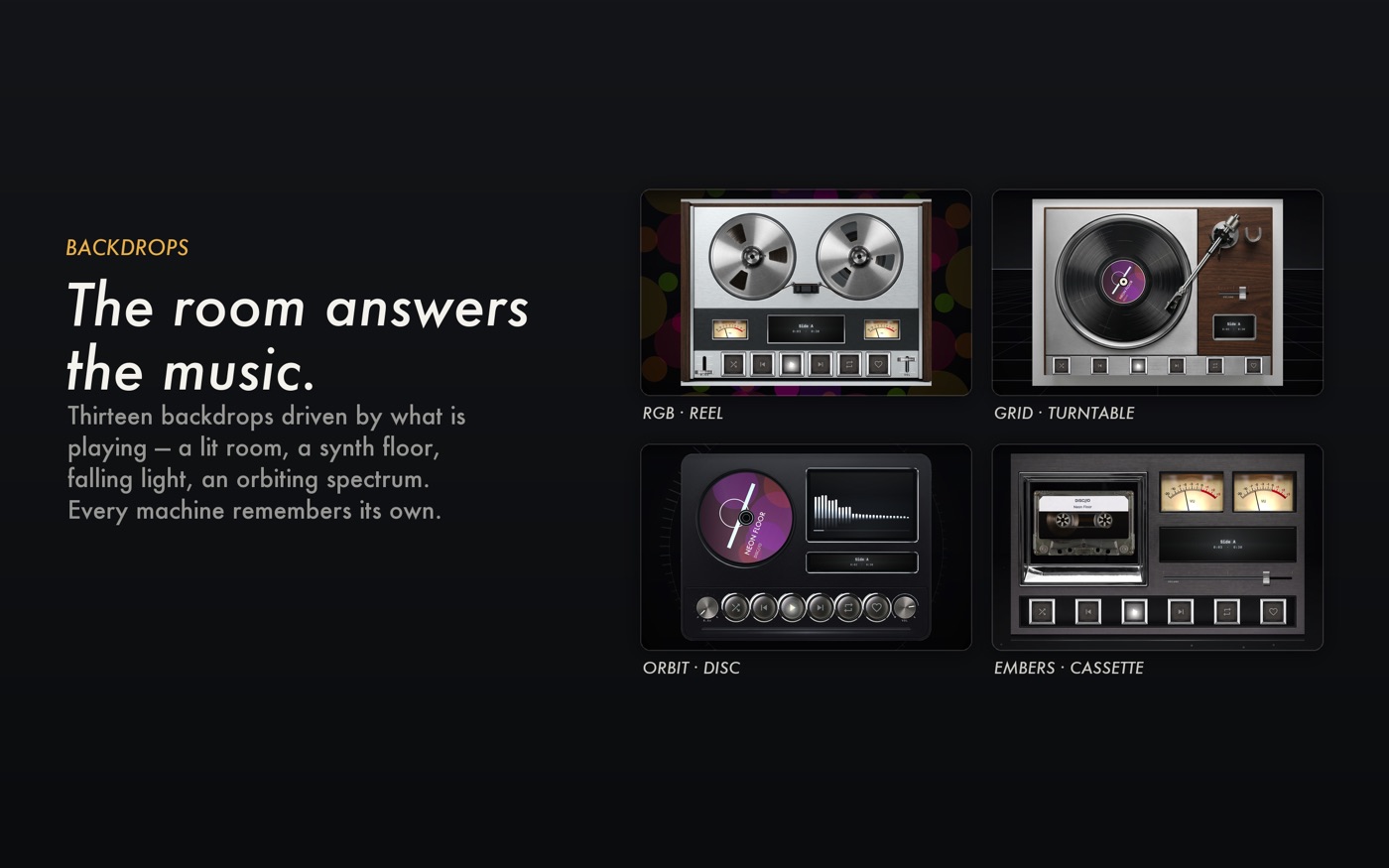
Thirteen rooms on the Mac, where each machine sits in a photographed room with lamps that breathe on the beat, or in a synth floor, falling light, neon tubing, an orbiting spectrum or embers, in a lamp colour you choose.
The machines themselves are visualizers
VU meters on the reel and cassette decks read the level in decibels with real meter ballistics. Reels turn at the true speed of the tape. The tonearm tracks across the record. Nothing on the machines is a looping animation.
Off the screen: Room Light
The same analysis drives the iPhone flashlight in Room Light: the low-frequency envelope lifts the torch on each kick and lets it fall between, without ever going fully dark. Put the phone face down and the ceiling follows the bass.
Getting it
STOCK is free on the free machines. The rest of the backdrops and the Pro machines are part of MP95 Pro. See the visualizer.
Frequently asked questions
Does the MP95 visualizer work with any song?
Yes. It analyses the audio the app is playing in real time, so it works with any file in your library.
Does it work with Spotify?
No. It visualizes audio played by MP95, which plays your own files.
Does a real-time visualizer drain the battery?
A little. MP95 runs the analysis natively and caps the frame rate, and the visualizer is off when the player is paused.