Every music app claims to work offline. Most mean that downloaded tracks keep playing when the signal drops, until the subscription lapses, the licence check fails or the track leaves the catalogue. A real offline player is different in kind: it plays files you own, from your device, and it has no reason to talk to a server at all.
What to demand
- No network access. Not "works without signal": no permission to use the network. If the app cannot go online, it cannot show ads, cannot upload your library and cannot break when a server does.
- No account. Your music library is not something you should have to log in to.
- Every format you own. MP3 and AAC for the purchases, FLAC and ALAC for the rips, WAV and AIFF for the odd file from a friend.
- Files read in place. Adding a folder should not mean copying gigabytes into the app. Point it at a folder in Files and it should read from there.
- A real library. Albums, artists, folders, playlists, favourites, recents, and search that works inside each of them.
- Something worth looking at. You will be looking at this screen a lot. A list of file names is not a music player; it is a file browser.
How MP95 does it
MP95 was built as an offline player first and a retro player second, which is why it can be both. It has no network permission at all. There is no account, and purchases go through the App Store without the app ever seeing a payment detail.
Files. Add a folder from the Files app (iCloud Drive, a USB stick, a NAS, anything Files can show) and MP95 reads it where it is. Import songs you own from the Music library, or drop files into the MP95 folder from a Mac with Finder or a cable. MP3, FLAC, ALAC, AAC/M4A, WAV, AIFF and CAF, with lossless played bit-for-bit. Remove a folder and only its tracks go; your playlists and favourites for the rest stay.
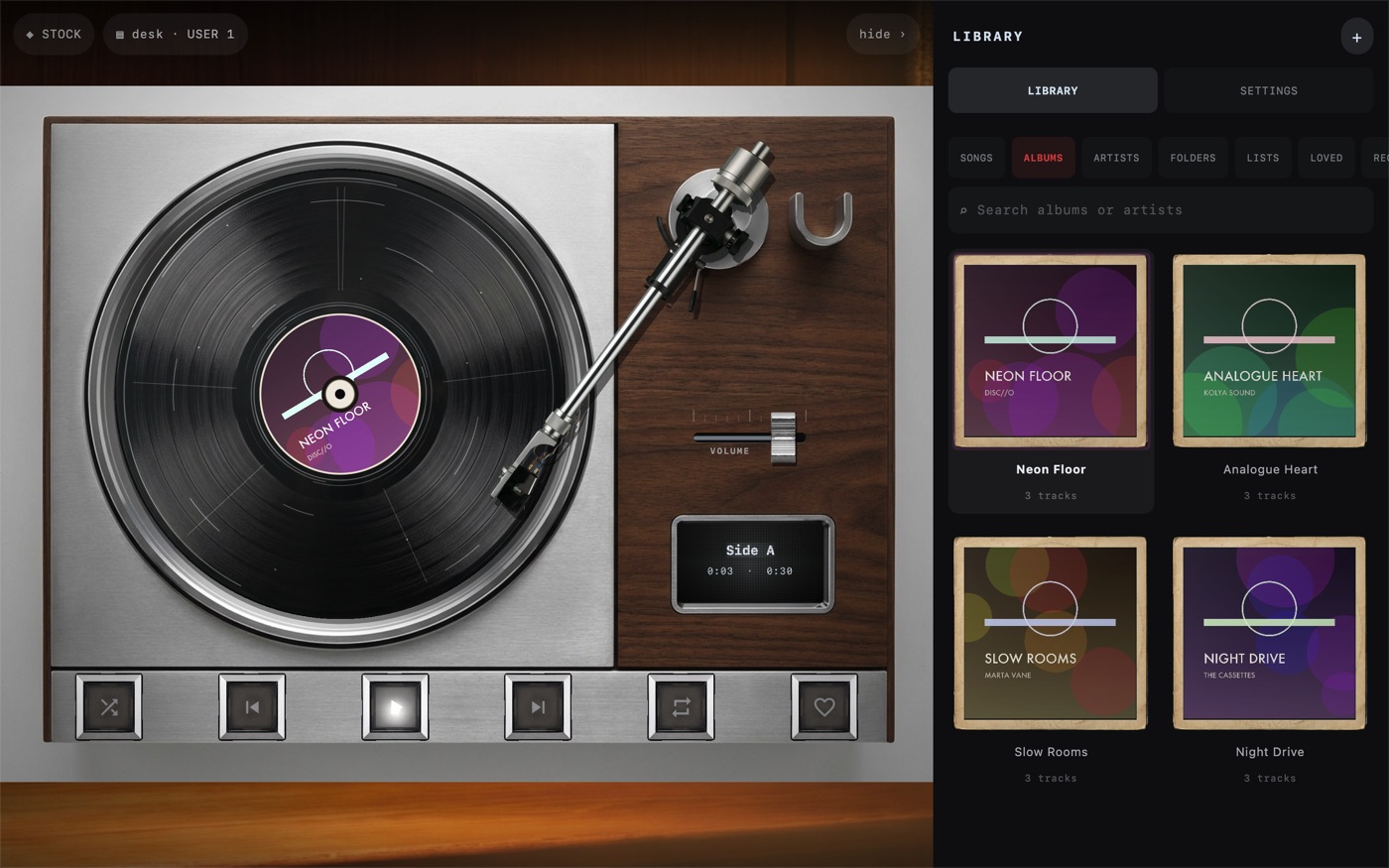
Library. Songs, Albums, Artists, Folders, Lists, Loved and Recent. Albums are shown as objects, sleeves for records and cases for tapes, with the artwork on them. Search inside the Albums tab finds every record an artist appears on. Tap the machine and the library opens where the music you are playing came from, not at the top of a list.
The screen. Six machines: a cassette deck, a turntable, a reel-to-reel, a digital display, a click wheel and a disc player, each an original design and each with its own sound. See the players.
The Apple Music and Spotify question
No third-party app can play a streaming catalogue; the licences do not allow it. That is not a limitation of one app, it is the deal. What an offline player can do is play songs you have purchased and downloaded, and anything you have ripped, bought on Bandcamp, pulled from a DJ pool or recorded yourself. If your collection lives entirely in a streaming app, an offline player is a reason to start owning some of it again.
What it costs
MP95 is free with the cassette deck and turntable, your whole library and offline playback, with no time limit. MP95 Pro unlocks the other four machines, the full sound desk and the visualizers, as a subscription or a one-time lifetime purchase, and one purchase covers iPhone, iPad and Mac. See pricing.
The other players
We compared MP95 with VOX, Evermusic, Flacbox, foobar2000, Doppler and VLC feature by feature, and wrote up what to use instead of AIMP, Poweramp and Musicolet on iOS: the comparison.
Quick comparison
| Streaming app, offline mode | MP95 | |
|---|---|---|
| Works without signal | Until the licence check | Always; no network access |
| Account required | Yes | No |
| Ads on the free tier | Usually | Never |
| Your own files | Limited or not at all | MP3, FLAC, ALAC, AAC, WAV, AIFF, CAF |
| Ways to add music | Sync through the app | Music app library, Files (iCloud, Dropbox, Drive, NAS, USB), AirDrop, cable |
| Tracks disappear | When the catalogue changes | Never; they are your files |
| Data collected | Listening history and more | None |
Frequently asked questions
What is the best free offline music player for iPhone?
Look for one with no network access, no account, support for MP3 and FLAC, and a real library. MP95 meets all of those and is free with two of its six machines.
Can I play music on iPhone without internet?
Yes, with files you own and a local player. MP95 has no network access, so everything in it works without a connection.
How do I get music files onto my iPhone?
Add a folder from the Files app, import purchases from the Music library, AirDrop files to the app, or drop them into the app folder from a Mac. See the guide on adding music files.