A remote, honestly
MP95 on Apple Watch controls the iPhone app. Music plays on the phone through your headphones; the watch shows the track, the position and a transport. It does not store or play music on the watch itself. We say this plainly because some watch apps imply otherwise.
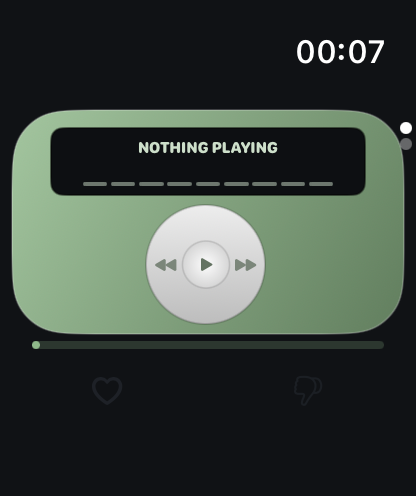
Four faces
The remote takes the style of the machine you are using on the phone: the click wheel, the cassette, the turntable or the disc. Play, pause, previous, next, and love the track with a tap.
Light on the battery
The watch app draws only what changes. Position updates go to a single clock text and bar, not the whole screen; spinning parts run at a capped frame rate and stop entirely on pause. It stays quick on older watches.
8D on the watch
The watch adopts the phone's 8D setting, since playback happens on the phone. Headphones required, as always.
Setup
Install MP95 on the iPhone; the watch app installs with it (or from the Watch app). Open MP95 on the phone, start a track, and the watch follows. See MP95 for Apple Watch.
Frequently asked questions
Does MP95 play music on the Apple Watch without the iPhone?
No. It is a remote for the iPhone app.
Which watches are supported?
watchOS 11 or later, paired with an iPhone running MP95.